
Isosceles and Equilateral Triangles: Construction and Properties
Loading the math board and drawing, please wait…
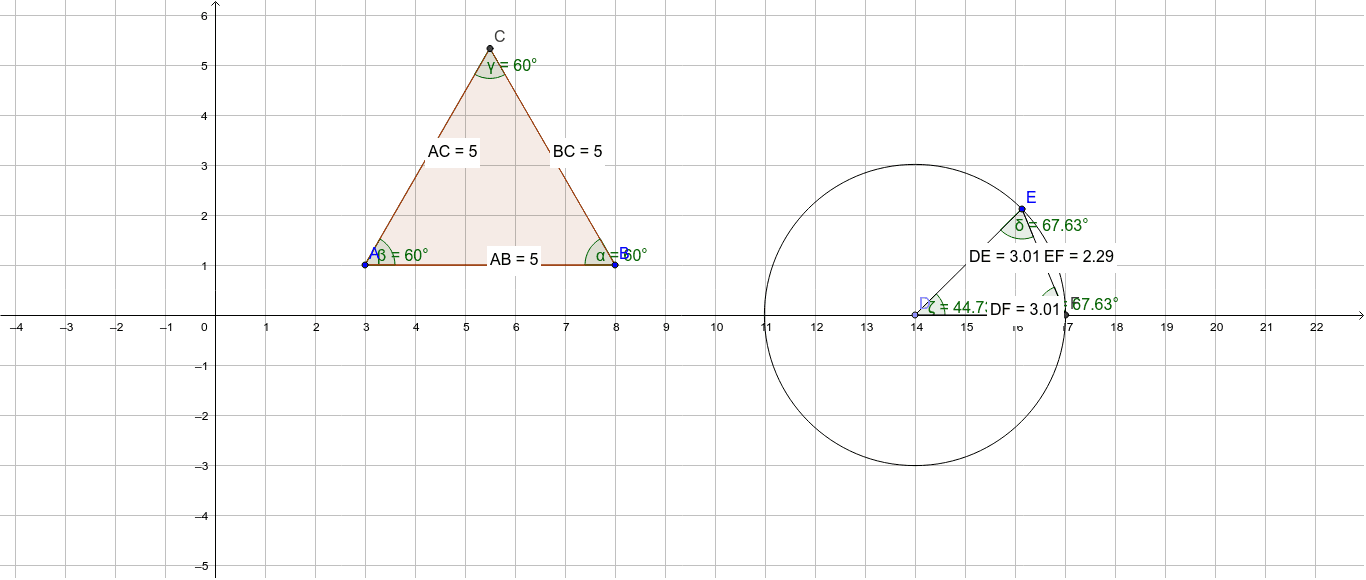
This GeoGebra example demonstrates the construction and key properties of isosceles and equilateral triangles in a dynamic geometry environment. It uses polygon tools to create triangles and measures side lengths and angles to visually show that an isosceles triangle has two equal sides and two equal base angles, while an equilateral triangle has all three sides equal and all angles equal to 60 degrees. The construction employs commands such as Polygon, Distance, Angle, Point, Circle, Segment, Intersect, and Midpoint, creating vertices, sides, angles, auxiliary circles, and intersection points, with text objects dynamically displaying side lengths and angle measures. This example is suitable for middle school geometry lessons to help students understand the definitions and properties of special triangles, and can also be used in high school review or by teachers to build interactive materials. By dragging vertices, learners can observe how the triangle changes while its invariant properties remain, deepening their conceptual understanding.
GeoGebra Commands & Parameters
Polygon(A, B, 3) → poly1, a, b, c, CDistance(A, B) → distanceABDistance(B, C) → distanceBCDistance(A, C) → distanceACAngle(C, B, A) → αAngle(B, A, C) → βAngle(A, C, B) → γPoint(xAxis) → DCircle(D, E) → dSegment(D, E) → eIntersect(d, xAxis, 2) → FSegment(F, E) → gDistance(D, F) → distanceDFDistance(D, E) → distanceDEDistance(E, F) → distanceEFAngle(D, E, F) → δSegment(D, F) → fAngle(E, F, D) → εAngle(F, D, E) → ζDistance(D, F) → hMidpoint(D, F) →