
Inverse Functions Algebra Quiz: Interactive Practice with Auto-Grading
Loading the math board and drawing, please wait…
In collections
Grade 12 PreCalculus BC
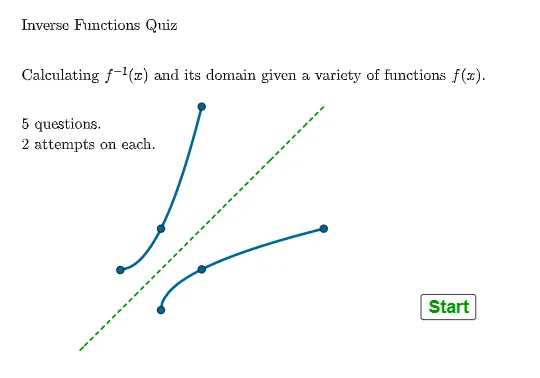
① This GeoGebra example is an interactive quiz on inverse function algebra, presenting randomized questions where students input answers and receive immediate correctness feedback, demonstrating the algebraic manipulation of inverse functions. ② Core math concepts include the definition of inverse functions, the relationship between a function and its inverse, composite functions, domain and range interchange, and solving inverses for linear and exponential functions. ③ Construction highlights: from the summary, it uses commands such as Textfield, InputBox2, GCD, Simplify, Shuffle, If, Invert, FractionText, Point, and Corner, with objects including multiple functions (f1 to f5) and their inverses (f1inv, f2inv, etc.), plus lists (alist, blist, qlist, qsh) for answer choices and question shuffling. ④ Suitable for high school or pre-college students learning functions and inverses, and useful for teachers as a classroom quiz tool or for self-paced practice, providing instant feedback to reinforce algebraic skills.
GeoGebra Commands & Parameters
Textfield(stdom) → InputBox2GCD({f4c, (f4c * f4b) + f4a}) → f4gcdSimplify(x^(2) + (fa * x) + fb) → f2Shuffle(qlist) → qsh, {4, 2, 5, 3, 1}If(question ≟ 1, Element[qsh, 1], If[question ≟ 2, Element[qsh, 2], If[question ≟ 3, Element[qsh, 3], If[question ≟ 4, Element[qsh, 4], Element[qsh, 5]]]]) → qQGCD({fa, fb}) → f5gcdInvert(f5) → f5invGCD(fa, fb) → f1gcdSimplify(((fa * x) + fb) / f1gcd) → f1Invert(f1) → f1invSimplify((((x * f4gcd) * f4b) + f4a - (f4c * f4b)) / ((f4gcd * x) - f4c)) → f4invIf(qQ ≟ 1, f1inv, If[qQ ≟ 2, f2inv, If[qQ ≟ 3, f3inv, If[qQ ≟ 4, f4inv, f5inv]]]) → finvansSimplify((f4a / (x - f4b) + f4c) / f4gcd) → f4If(qQ ≟ 1, f1, If[qQ ≟ 2, f2, If[qQ ≟ 3, f2, If[qQ ≟ 4, f4, If[qQ ≟ 5, f5]]]]) → fFractionText(f4dom) → f3domtxtFractionText(f5int) → f5inttextIf(qQ ≟ 1, ftext1, If[qQ ≟ 2, ftext2, If[qQ ≟ 3, ftext3, If[qQ ≟ 4, ftext4, ftext5]]]) → ftextIf(qQ ≟ 1, f1invtxt, If[qQ ≟ 2, f2invtxt, If[qQ ≟ 3, f3invtxt, If[qQ ≟ 4, f4invtxt, f5invtxt]]]) → finvtxtPoint(yAxis) → SC1APoint(sc12) → SC1DPoint(sc12) → SC1EPoint(sc12) → SC1FCorner(5) → dimsTextfield(stf) → InputBox1Textfield(stdf4) → InputBox3If(qQ ≟ 2 ∨ qQ ≟ 3, AreEqual[InputBox2, q2ansdom], If[qQ ≟ 4, AreEqual[InputBox3, q4ansdom], If[qQ ≟ 5, AreEqual[InputBox2, q5ansdom]]]) → corrdomIf(qQ ≟ 1, corrf, corrf ∧ corrdom) → correct
AI Drawing Prompt Reference
Create a coordinate-plane graphic for an inverse-function algebra practice interface. Show the main axes and several auxiliary reference points, along with function expressions that include at least one rational (fractional linear) form and multiple alternative candidates (around five). Indicate, via nearby text labels, the corresponding inverse-function expressions for the candidates, formatted in fraction style. Reserve input fields beside the diagram for students to enter the domain (and/or interval) of the inverse they select. Add a small dimension/angle-style corner annotation in the upper-right area to complete the layout.
The prompt above was compiled from the original drawing commands and is for reference only.