
Introduction to Trig Ratios and Unit Circle
Loading the math board and drawing, please wait…
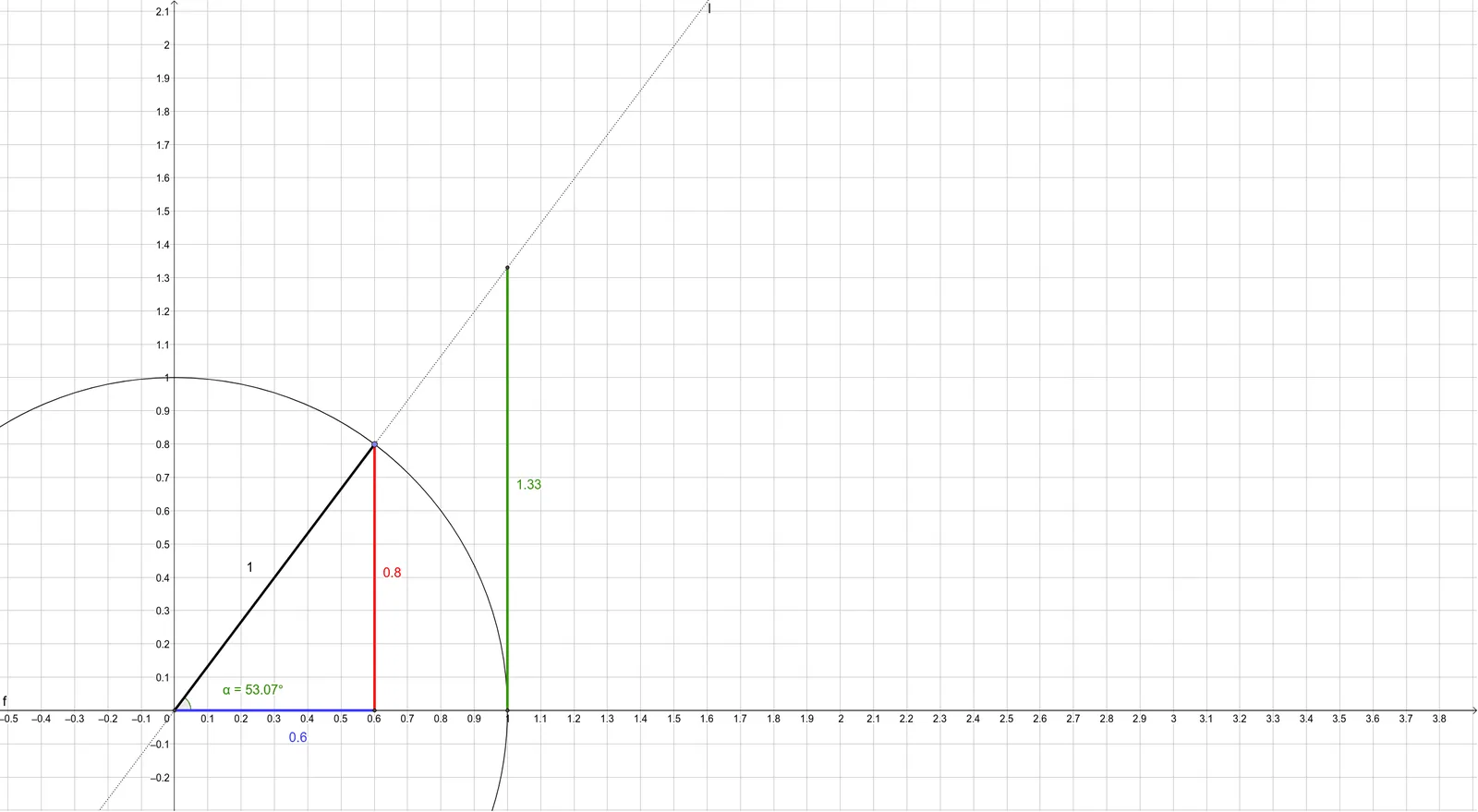
This example demonstrates the basic concepts of trigonometric ratios and the unit circle. Key math concepts involved include trigonometric ratios, the unit circle, right triangles, and angle measurement. Construction highlights involve GeoGebra commands such as Intersect, Circle, Line, Point, Segment, Angle, and OrthogonalLine, with objects like A, c, B, C, f, D, g, α, h, E, i, j, k, l, F, m. It is suitable for middle and high school mathematics education, helping students understand the definitions of trigonometric functions and the application of the unit circle.
GeoGebra Commands & Parameters
Intersect(xAxis, yAxis) → ACircle(A, 1) → cIntersect(c, xAxis, 1) → BIntersect(c, xAxis, 2) → CLine(B, C) → fPoint(c) → DSegment(A, D) → gAngle(f, g) → αOrthogonalLine(D, f) → hIntersect(f, h) → ESegment(E, D) → iSegment(E, A) → jOrthogonalLine(C, f) → kLine(A, D) → lIntersect(k, l) → FSegment(F, C) → m
AI Drawing Prompt Reference
Draw a unit circle and mark the intersection point of the x-axis and y-axis. Draw a radius of 1 from this point to create a circle, intersecting the positive and negative x-axis at two points. Connect these two points to form a horizontal line segment. Draw a perpendicular line from the center of the circle to this line segment, marking the intersection as E. Connect the center of the circle to E and measure the angle. Draw a perpendicular line from E to the horizontal line segment, marking the intersection as F. Connect F to the point where the circle intersects the negative x-axis, forming another line segment.
The prompt above was compiled from the original drawing commands and is for reference only.