
Introduction to Transformational Geometry
Loading the math board and drawing, please wait…
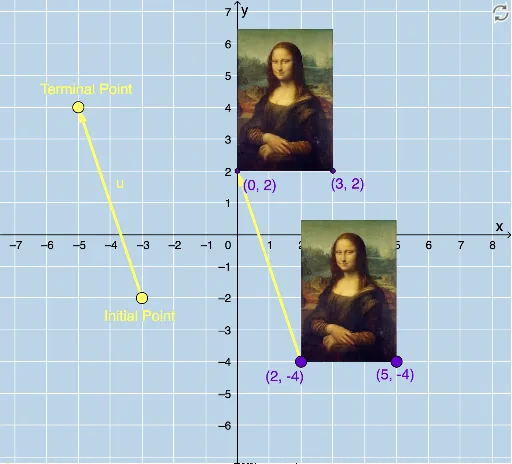
This example demonstrates the effects of geometric transformations like translation, reflection, rotation, and dilation on a triangle. It involves core concepts such as geometric transformations, translation vectors, reflection axes, rotation centers, dilation centers, parametric curves, and coordinate geometry. It uses commands like Vector, Translate, Rotate, CircleArc, Circle, Line, Mirror, Dilate, and Textfield in GeoGebra. Suitable for middle school and above students to learn the properties and applications of geometric transformations.
GeoGebra Commands & Parameters
Vector(D, E) → uTranslate(pic1, u) → pic1'Translate(B, u) → B'Translate(C, u) → C'Vector(B, B') → vRotate(C, δ, A) → C'_1CircleArc(A, C'_1, C) → cCircleArc(A, C, C'_1) → dCircle(A, C) → eLine(F, G) → fMirror(pic1, f) → pic1'_2Mirror(B, f) → B'_2Mirror(C, f) → C'_2Dilate(pic1, k, A) → pic1'_3Dilate(B, k, A) → B'_3Dilate(C, k, A) → C'_3Rotate(B, δ, A) → B'_1Rotate(pic1, δ, A) → pic1'_1Circle(A, C) → pCircleArc(A, C'_1, C) → rTextfield(δ) → InputBox1Textfield(k) → InputBox2
AI Drawing Prompt Reference
Draw a triangle and show its transformed effects through translation, reflection, rotation, and dilation. Start by drawing a vector from one vertex to another and use it to translate the triangle to create a new one. Then, rotate the new triangle around a vertex by a certain angle, and draw two arcs to indicate the rotation path. Next, draw a line segment as a reflection axis and reflect the triangle and its transformed versions across this axis. Finally, scale the triangle by a certain factor around a vertex, and display input boxes for all transformation parameters.
The prompt above was compiled from the original drawing commands and is for reference only.