
Introduction to Transformational Geometry by Russell Maciag
Loading the math board and drawing, please wait…
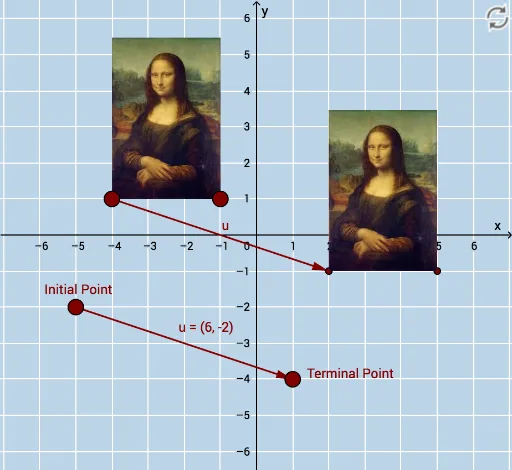
This example demonstrates the effects of geometric transformations such as translation, reflection, rotation, and dilation on shapes. It involves core math concepts like transformational geometry, vectors, coordinate geometry, and trigonometry. Constructed using commands like Vector, Translate, Rotate, CircleArc, Circle, Line, Mirror, and Dilate, with objects A, B, C, pic1, etc. Suitable for high school students and teachers learning geometric transformations.
GeoGebra Commands & Parameters
Vector(D, E) → uTranslate(pic1, u) → pic1'Translate(B, u) → B'Translate(C, u) → C'Vector(B, B') → vRotate(pic1, α, A) → pic1'_1Rotate(B, α, A) → B'_1Rotate(C, α, A) → C'_1CircleArc(A, C'_1, C) → cCircleArc(A, C, C'_1) → dCircle(A, C) → eLine(F, G) → fMirror(pic1, f) → pic1'_2Mirror(B, f) → B'_2Mirror(C, f) → C'_2Dilate(pic1, k, A) → pic1'_3Dilate(B, k, A) → B'_3Dilate(C, k, A) → C'_3
AI Drawing Prompt Reference
Draw a geometric shape to demonstrate the effects of translation, reflection, rotation, and dilation. First, draw a shape and translate it along a vector. Then, rotate the shape around a point by a certain angle, reflect it across a line, and finally dilate it from a center point. Show the original and transformed shapes, along with the changes in key points, and connect related points with arcs and circles, using a line as the reflection axis.
The prompt above was compiled from the original drawing commands and is for reference only.