
Introduction to Conic Sections
Loading the math board and drawing, please wait…
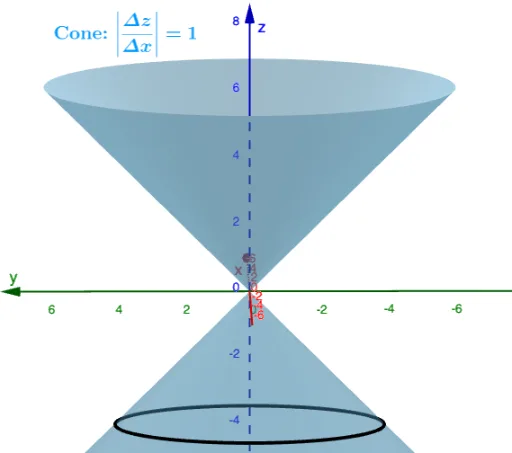
This example demonstrates the formation and properties of the four main conic sections: circle, ellipse, hyperbola, and parabola. Key math concepts include conic sections, coordinate geometry, and curve sketching. Construction highlights the use of GeoGebra commands such as IntersectPath, Intersect, Cone, Mirror to visually show the generation process of curves through the intersection of a cone with a plane. Suitable for high school and above learners to understand the geometric essence and algebraic representation of conic sections.
GeoGebra Commands & Parameters
IntersectPath(Plane, Cone) → aIntersect(xAxis, zAxis) → ACone(B, A, Distance[A, B]) → b, c, dIntersectPath(Plane, e) → fMirror(d, z = 0) → d'
AI Drawing Prompt Reference
Draw a cone and intersect it with a plane to generate an ellipse, hyperbola, and parabola. First, draw a cone, then use a plane to intersect it and generate an ellipse. Next, draw the intersection of the x-axis and z-axis, and use this point and the cone's vertex to draw another cone. Finally, use another plane to intersect this cone and generate a hyperbola and a parabola.
The prompt above was compiled from the original drawing commands and is for reference only.