
Introduction to Completing the Square
Loading the math board and drawing, please wait…
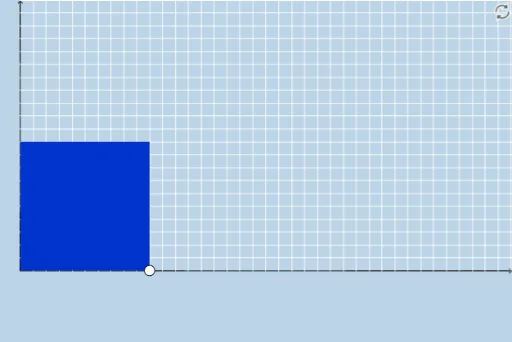
This example demonstrates the concept of completing the square by visualizing geometric transformations applied to quadratic functions, converting them to vertex form. Key math concepts include quadratic functions, completing the square, vertex form, and geometric transformations. Constructed using commands like Segment, Polygon, Sequence, Point, Dilate, Rotate, Vector, Translate, Distance, and Textfield. Suitable for middle school and above students to understand the properties of quadratic functions and the application of completing the square.
GeoGebra Commands & Parameters
Segment(A, B) → fSegment(D, C) → hSegment(C, A) → iPolygon(A, B, D, C) → poly1, a_1, b_1, d, cSequence((a + i, 0), i, 0, abs(b / 2), 1) → bottomsSequence((a + i, a), i, 0, abs(b / 2), 1) → topsSequence((0, a + i), i, 0, abs(b / 2), 1) → leftsSequence((a, a + i), i, 0, abs(b / 2), 1) → rightsSequence(Dilate[Element[bottoms, i], If[0 < g ≤ 1, 1 - g, 0], Element[tops, i]], i, 0, abs(b / 2) + 1, 1) → bottomsmoveSequence(Dilate[Element[lefts, i], If[1 < g ≤ 2, 2 - g, 0], Element[rights, i]], i, 0, abs(b / 2) + 1, 1) → leftsmovePoint(bottomsmove) → ESegment(B, E) → jDilate(C, If[1 < g ≤ 2, 2 - g, 0], D) → C'Segment(C, C') → kPolygon(D, H, F, G) → poly2, d_1, h_1, f_1, g_1Dilate(H, If[2 < g ≤ 3, 3 - g, 0], F) → H'Dilate(G, If[2 < g ≤ 3, 3 - g, 0], F) → G'Dilate(I, If[2 < g ≤ 3, 3 - g, 0], A) → I'Segment(I, I') → lRotate(I, If[3 < g ≤ 4, ((-(g - 3)) * π / 2), ((-π)) / 2], A) → I'_1Rotate(I', If[3 < g ≤ 4, ((-(g - 3)) * π / 2), ((-π)) / 2], A) → I''Segment(I'_1, I'') → l'Rotate(I'_1, If[4 < g ≤ 5, ((-(g - 4)) * π / 2), ((-π)) / 2], I'_1) → JRotate(I'', If[4 < g ≤ 5, ((-(g - 4)) * π / 2), ((-π)) / 2], I'_1) → I'''Segment(J, I''') → l''Dilate(A, If[5 < g ≤ 6, 6 - g, 0], I) → A'Vector(A, A') → uTranslate(I'_1, u) → KTranslate(I'', u) → I'''_1Segment(K, I'''_1) → l''_1Sequence(Segment[Element[bottoms, i + 1], Element[bottomsmove, i + 2]], i, 1, abs(b / 2), 1) → list1Sequence(Segment[Element[lefts, i + 1], Element[leftsmove, i + 2]], i, 1, abs(b / 2), 1) → list2Sequence(Polygon[Element[bottoms, i], Element[bottoms, i + 1], Element[tops, i + 1], Element[tops, i]], i, 1, abs(b / 2), 1) → list3Sequence(Polygon[Element[lefts, i], Element[lefts, i + 1], Element[rights, i + 1], Element[rights, i]], i, 1, abs(b / 2), 1) → list4Distance(D, F) → distanceDFTextfield(b) → InputBox1
AI Drawing Prompt Reference
Create a visual representation of completing the square for quadratic functions, showing geometric transformations that convert them into vertex form. Start with a base line segment, then use geometric transformations like dilation, rotation, and translation to build a series of polygons, ultimately forming the vertex form. Use distinct colors or line styles to differentiate the original and transformed shapes, and label key points and transformation steps to illustrate the properties of quadratic functions and the application of completing the square.
The prompt above was compiled from the original drawing commands and is for reference only.