
Interval Notation Practice
Loading the math board and drawing, please wait…
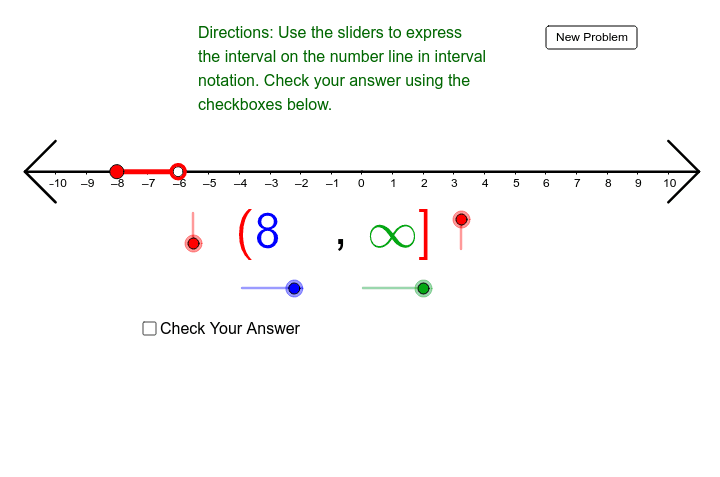
This example demonstrates interval notation, involving inequalities. Using GeoGebra commands such as Polygon, If, and Segment, users can practice representing given inequality intervals. Suitable for high school math education, this example helps students understand the practical application of interval notation.
GeoGebra Commands & Parameters
Polygon((-10.2, -5000), (-10.2, 5000), (-500, 5000), (-500, -5000)) → LeftWhiteBlocker, a, b, c, dPolygon((10.4, -5000), (10.4, 5000), (500, 5000), (500, -5000)) → RightWhiteBlocker, e, f, g, hIf(RandomLeftPoint < (-10), (-11, 0), (RandomLeftPoint, 0)) → LeftIntervalPointIf(RandomRightPoint > 10, (11, 0), (RandomRightPoint, 0)) → RightIntervalPointSegment(LeftIntervalPoint, RightIntervalPoint) → IntervalLineIf(RandomLeftPoint < (-10), 0, Random[0, 1] + (0 * j)) → LeftIntervalIncludeIf(RandomRightPoint > 10, 0, Random[0, 1] + (0 * j)) → RightIntervalIncludeIf(RightGuessValue ≟ (-11) ∨ RightGuessValue ≟ (-10), (-0.67798, -2.3692), If[(RightGuessValue ≥ 0) ∧ (RightGuessValue ≤ 9), (0.3, -2.3692), (0, -2.3692)]) → AIf(LeftSymbol ≟ LeftIntervalInclude ∧ RightSymbol ≟ RightIntervalInclude ∧ (LeftGuessValue ≟ RandomLeftPoint ∨ (RandomLeftPoint < (-10)) ∧ LeftGuessValue ≟ (-11)) ∧ (RightGuessValue ≟ RandomRightPoint ∨ (RandomRightPoint > 10) ∧ RightGuessValue ≟ 11), true, false) → CorrectIf(Correct, "Correct!", "Incorrect") → text3Segment(CenterPoint, (11, 0)) → PositiveAxisSegment(CenterPoint, (-11, 0)) → NegativeAxisSegment((-11, 0), (-10, 1)) → TopArrowHeadLeftSegment((-11, 0), (-10, -1)) → BottomArrowHeadLeftSegment((11, 0), (10, 1)) → TopArrowHeadRightSegment((11, 0), (10, -1)) → BottomArrowHeadRightSegment((11, 0), (10, 1)) → TopArrowHeadRightRedSegment((11, 0), (10, -1)) → BottomArrowHeadRightRedSegment((-11, 0), (-10, 1)) → TopArrowHeadLeftRedSegment((-11, 0), (-10, -1)) → BottomArrowHeadLeftRed