
Intersection of Two Lines by Irina Vasilescu
Loading the math board and drawing, please wait…
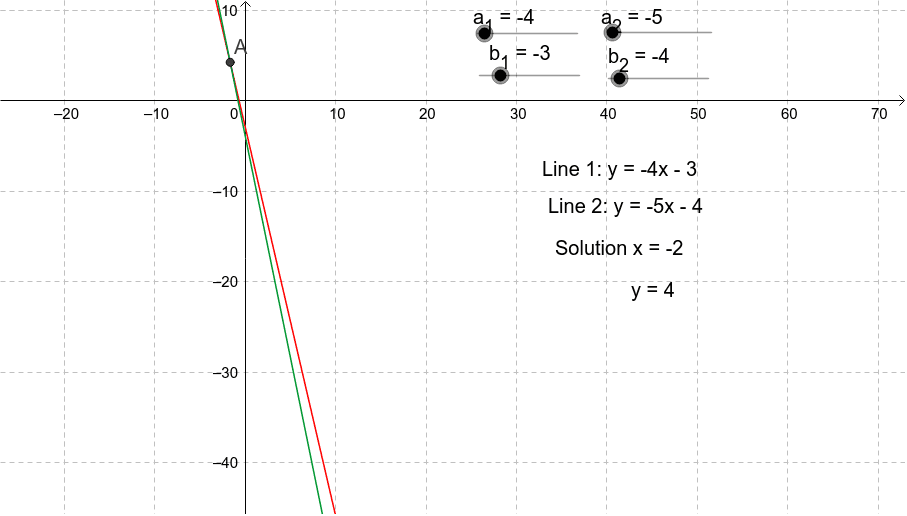
This GeoGebra example dynamically demonstrates the process of finding the intersection point of two lines. The core mathematical concept is coordinate geometry, specifically solving a system of two linear equations to obtain the unique intersection coordinates. The construction uses the Intersect command to directly create the intersection point of the lines, along with text objects (text1, text2, text3, text4) to display coordinates or explanatory notes. The involved objects include lines a, b and their variants a_1, b_1, a_2, b_2, as well as point A. It is suitable for middle or high school students learning about line relationships and solving simultaneous equations, and can also serve as a classroom demonstration tool or for students to explore how changing line parameters affects the intersection.
GeoGebra Commands & Parameters
Intersect(b, a) → A
AI Drawing Prompt Reference
Draw two intersecting lines and highlight their intersection point, labeling the coordinates of the point and the equations of the lines to observe how the intersection moves as the lines change position, suitable for learning about line relationships and solving simultaneous linear equations in coordinate geometry.
The prompt above was compiled from the original drawing commands and is for reference only.