
Intersecting Planes in 3D Geometry
Loading the math board and drawing, please wait…
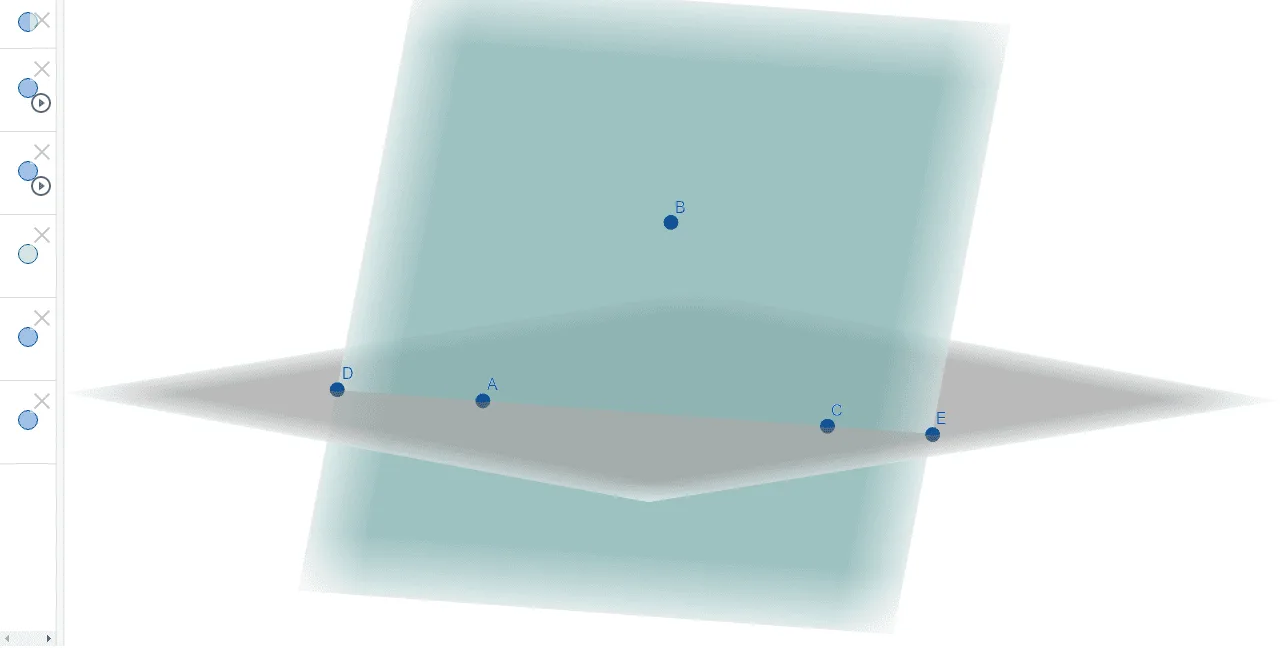
① This GeoGebra example demonstrates the intersection of two planes in 3D space, showing how they meet along a line. ② Core mathematical concepts include solid geometry, relative positions of planes, the line of intersection, and the relationship between spatial points and plane equations. ③ Construction: Based on the summary, the Point command creates points A, B, C, D, E; the Plane command defines plane a through A, B, C; and PointIn places points within planes, building two intersecting planes and their intersection structure. ④ Suitable for high school solid geometry or introductory university analytic geometry, helping students visualize plane intersections and connect geometric intuition with algebraic representations.
GeoGebra Commands & Parameters
Point(zAxis) → BPoint(xAxis) → CPlane(C, B, A) → aPointIn(a) → DPointIn(a) → E
AI Drawing Prompt Reference
Draw two intersecting planes in a three-dimensional coordinate system that meet along a line. First, create a point on the z-axis and another point on the x-axis. Use these two points together with a third point in space to define the first plane, then place two additional points within this plane to mark locations on its surface. Optionally create a second plane that intersects the first plane, demonstrating the geometric relationship of plane intersection in three-dimensional space and helping understand the relative positions of planes and their line of intersection in solid geometry.
The prompt above was compiled from the original drawing commands and is for reference only.