
Intercenter Constructions Corrections
Loading the math board and drawing, please wait…
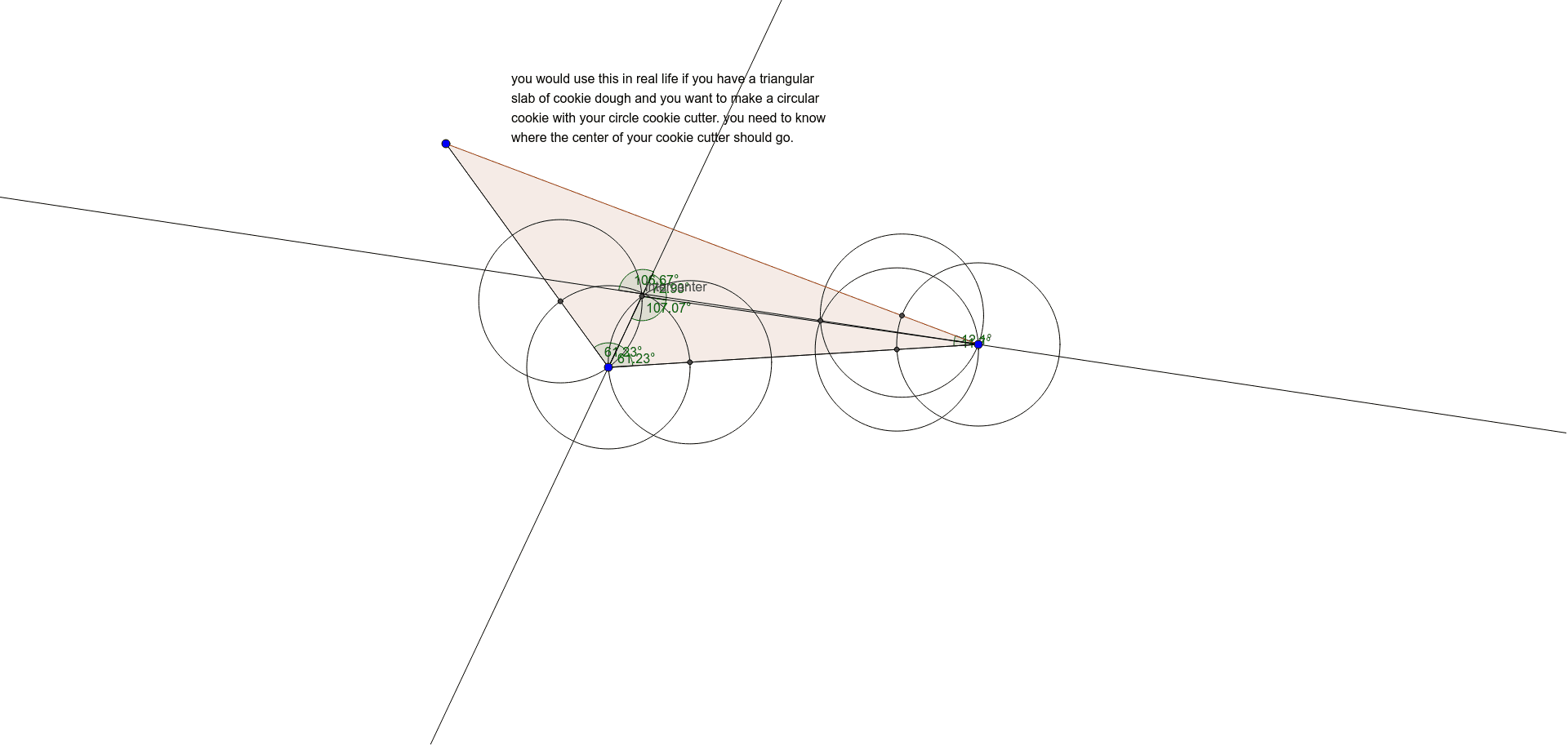
This example demonstrates the geometric correction process of intercenter constructions by dynamically adjusting triangle vertices to observe changes in various centers (e.g., circumcenter, incenter). It involves core mathematical concepts like polygon construction, circle-line segment intersection calculations, angle measurement, and vector operations. Key GeoGebra commands used include Polygon, Circle, Intersect, Line, Angle, and Segment. Suitable for high school and above learners to understand geometric constructions and dynamic geometry software applications.
GeoGebra Commands & Parameters
Polygon(A, B, C) → poly1, c, a, bCircle(B, 2) → dIntersect(d, c, 1) → DCircle(D, 2) → eIntersect(d, a, 1) → ECircle(E, 2) → fIntersect(e, f, 1) → intercenterLine(B, intercenter) → gCircle(C, 2) → hIntersect(h, a, 1) → GCircle(G, 2) → kIntersect(h, b, 1) → HCircle(H, 2) → pIntersect(k, p, 1) → ILine(C, I) → iAngle(b, i) → αSegment(B, C) → jSegment(intercenter, C) → lAngle(intercenter, C, B) → βAngle(a, g) → γSegment(A, B) → mSegment(B, intercenter) → nAngle(intercenter, B, A) → δAngle(g, i) → εAngle(l, g) → ζAngle(B, intercenter, C) → η