
Interactive Unit Circle by J Rothman
Loading the math board and drawing, please wait…
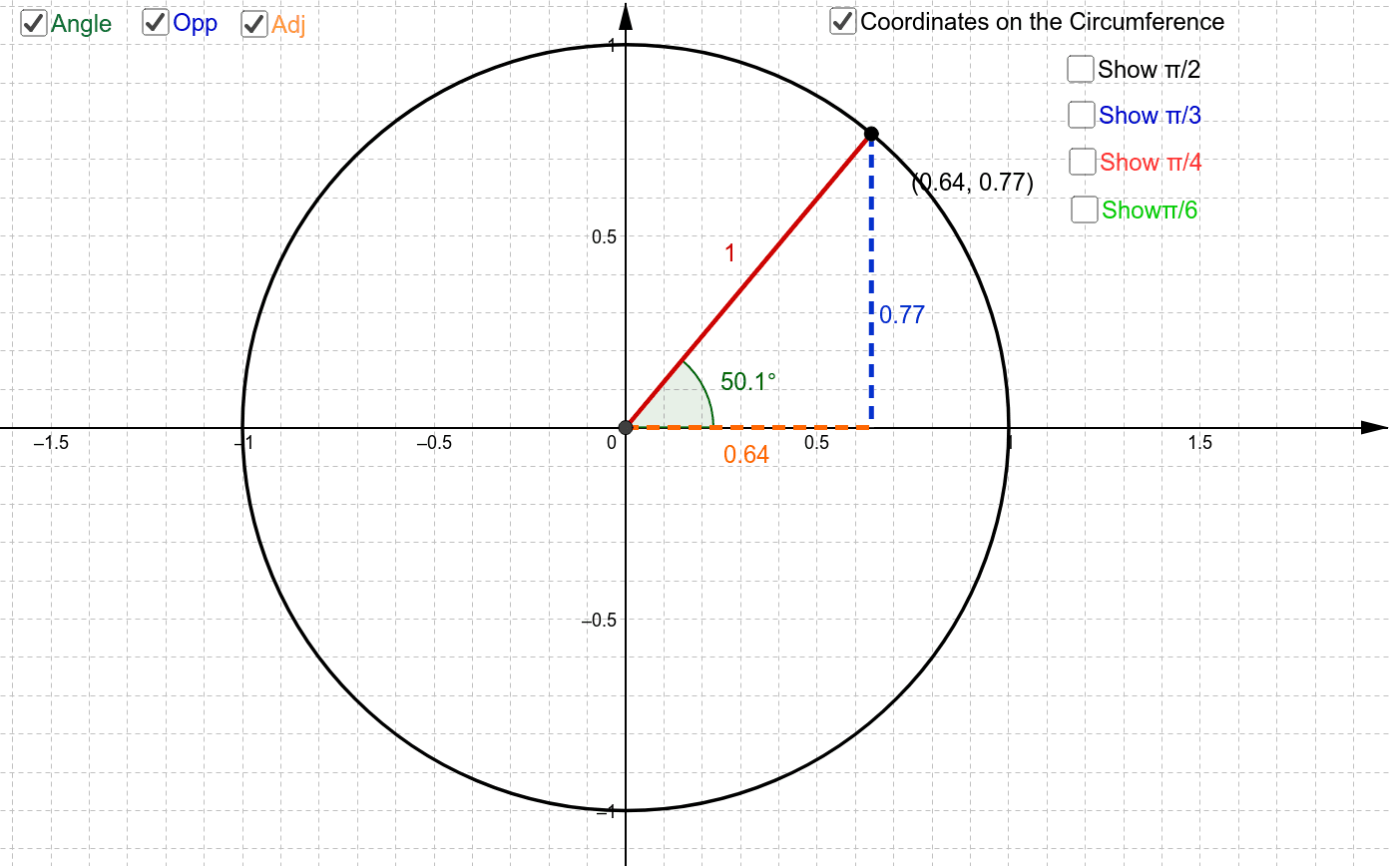
This tool explores the angles and coordinates on the unit circle, illustrating the patterns of sine and cosine functions. By constructing a circle, mirror, points, and lines, it provides a visual understanding of trigonometric properties. Suitable for high school math education and learning.
GeoGebra Commands & Parameters
Intersect(xAxis, yAxis) → ACircle(A, 1) → cMirror(B, yAxis) → B'Mirror(B, xAxis) → B'_1Mirror(B', xAxis) → B''Mirror(C, yAxis) → C'Mirror(C', xAxis) → C''Mirror(C'', yAxis) → C'''Mirror(D, yAxis) → D'Mirror(D', xAxis) → D''Mirror(D'', yAxis) → D'''Point(c) → ISegment(I, A) → gAngle(E, A, I) → αOrthogonalLine(I, xAxis) → hIntersect(h, xAxis) → QLine(A, Q) → iSegment(I, Q) → jSegment(A, Q) → k
AI Drawing Prompt Reference
Draw a unit circle and mark points on it, then create symmetric points by reflecting these points across the coordinate axes. Connect these points to the center of the circle to form multiple line segments, and include angle markings and perpendicular lines to illustrate the geometric meaning of sine and cosine functions, suitable for high school math education.
The prompt above was compiled from the original drawing commands and is for reference only.