
Interactive Unit Circle: Angle-to-Coordinate Tracing
Loading the math board and drawing, please wait…
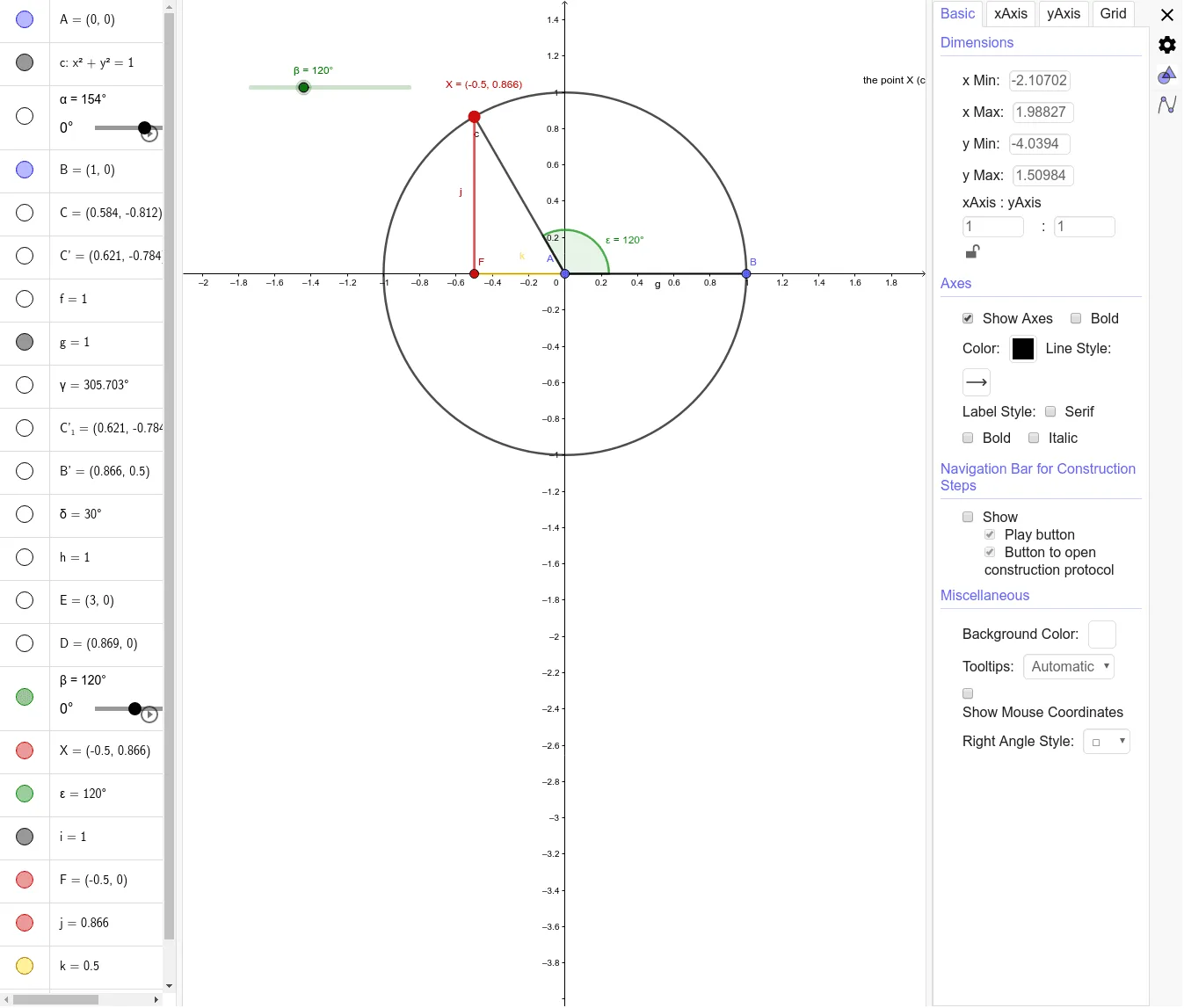
This example is an interactive demonstration of the unit circle, showing how a rotating ray and its intersection point on the circle change as the angle varies, thereby revealing the corresponding coordinate relations. It centers on the unit circle (radius 1), angle measurement and quadrant behavior, and the geometric idea that the x/y coordinates of a point on the unit circle encode trigonometric values. Construction highlights: GeoGebra’s Circle is used to create the unit circle; Point marks key points on the circle and auxiliary points; Rotate performs rotation about the center to animate the angle and move the point accordingly; Segment draws connecting lines that form the needed geometric structure for interpretation; and Angle labels/measures the involved angles (e.g., α and additional angles like γ, β, δ). Suitable for middle school through early college learning, particularly for introducing trigonometry with geometric reasoning and interactive visualization.
GeoGebra Commands & Parameters
Circle(A, 1) → cPoint(c) → CRotate(C, α°, A) → C'Segment(A, C) → fSegment(A, B) → gAngle(B, A, C) → γRotate(C, α°, A) → C'_1Rotate(B, 30°, A) → B'Angle(B, A, B') → δSegment(A, B') → hPoint(xAxis) → EPoint(g) → DRotate(B, β, A) → XAngle(B, A, X) → εSegment(X, A) → iSegment(X, F) → jSegment(A, F) → k
AI Drawing Prompt Reference
Draw a unit circle centered at the origin with radius 1. Draw a ray from the center, rotate it by angle α to get point C', and draw line segments f from the center to C', g from the center to point C on the circle, and a perpendicular from C to the x-axis. Measure angle γ. Rotate C' by 30 degrees to get B', and draw line segment h from the center to B'. Draw points E on the x-axis and D on g, rotate B' by β to get X, and draw line segments i from X to A, j from X to F, and k from A to F.
The prompt above was compiled from the original drawing commands and is for reference only.