
Interactive Net of a Cylinder Demonstration
Loading the math board and drawing, please wait…
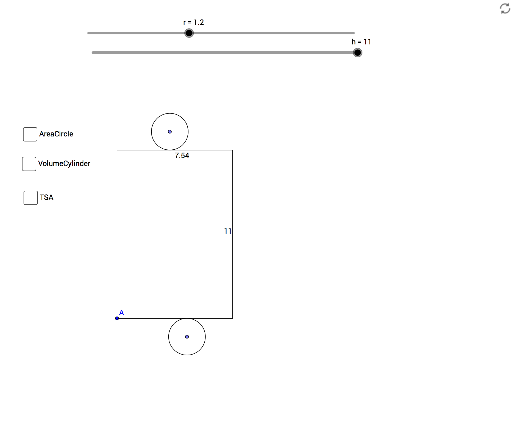
This GeoGebra example provides an interactive visualization of the net of a cylinder, demonstrating how a three-dimensional cylinder unfolds into a two-dimensional plane consisting of a rectangular lateral surface and two circular bases. Key mathematical concepts covered include the geometry of circles (such as circumference and area), surface area and volume calculations for cylinders, and spatial reasoning in solid geometry. The construction employs GeoGebra commands like Point, Segment, Circle, OrthogonalLine, Intersect, Distance, Circumference, and Text, with objects defined by parameters including radius r, height h, and points C, A, B, etc., to accurately render the net. It is suitable for educators and students in secondary or higher education, particularly in geometry and measurement courses, to enhance understanding of geometric nets and three-dimensional shapes.
GeoGebra Commands & Parameters
Point(Circle[A, C]) → BSegment(A, B) → aCircle(A, h) → cCircle(B, h) → dOrthogonalLine(A, a) → bOrthogonalLine(B, a) → eIntersect(c, b) → D, EIntersect(d, e) → F, GSegment(E, G) → fPoint(f) → HPoint(a) → ICircle(A, r) → gCircle(E, r) → kCircle(G, r) → pCircle(B, r) → qIntersect(k, b) → J, KIntersect(p, e) → L, MIntersect(q, e) → N, OIntersect(g, b) → P, QSegment(K, M) → iSegment(P, N) → jPoint(i) → RPoint(j) → SCircle(R, r) → sCircle(S, r) → tSegment(A, E) → lSegment(G, B) → mDistance(f, m) → oCircumference(s) → circumferencesText(AreaCir) → text1Text(Vol) → text2Text(TSA) → text3