
Interactive Linear Transformations of R² with Matrices
Loading the math board and drawing, please wait…
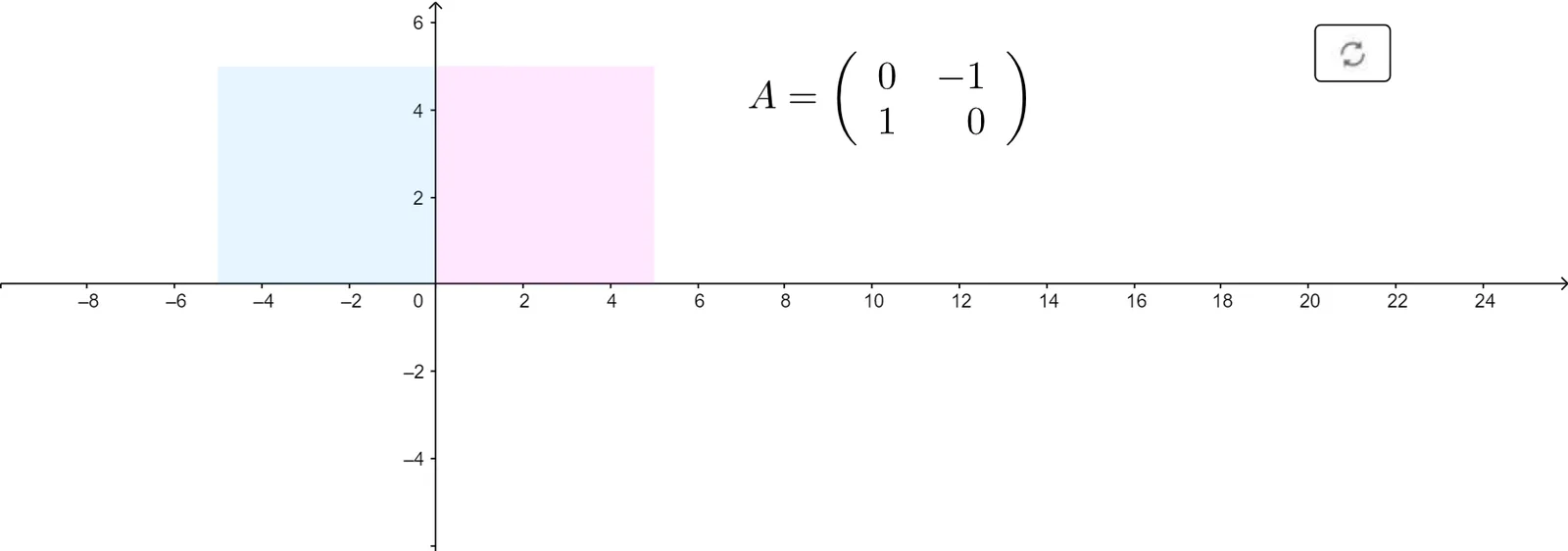
This GeoGebra example demonstrates linear transformations on the real plane R² using 2×2 transformation matrices. It visually illustrates how points, polygons, circles, spline curves, and function graphs are transformed under scaling, rotation, reflection, shear, dilation, and projection. Core mathematical concepts include linear algebra, transformation matrices, coordinate geometry, geometric transformations, function graphing, and the geometric interpretation of matrix operations. The construction employs GeoGebra commands such as Point, Polygon, ApplyMatrix, Circle, Spline, Segment, Line, OrthogonalLine, and Intersect, together with interactive controls like SelectedIndex, Textfield, If, and InputBox1. Key objects include scaling matrices S_x and S_y, rotation matrix R_θ, shear matrices Sh_x and Sh_y, reflection matrix Ref_l, and transformed function objects such as DilatedFunc, RotatedFunc, ReflFunc, and ProjFunc. Suitable for high school advanced mathematics, university linear algebra and analytic geometry courses, classroom demonstrations, and student self-directed exploration of the geometric meaning of matrices.
GeoGebra Commands & Parameters
Point(yAxis) → BPolygon(A, B, C, E) → q1, a, b, c, eApplyMatrix(S_x, f) → HorizScaledFuncApplyMatrix(S_y, f) → VertScaledFuncApplyMatrix(D, f) → DilatedFuncApplyMatrix(Sh_x, f) → HorizShearFuncSelectedIndex(M) → mApplyMatrix(Sh_y, f) → VertShearFuncApplyMatrix(Ref_l, f) → ReflFuncSelectedIndex(L) → lApplyMatrix(R_θ, f) → RotatedFuncApplyMatrix(R_θ, E) → E'ApplyMatrix(P, f) → ProjFuncTextfield(f) → InputBox1If(l ≟ 1, R_θ, l ≟ 6, Sh_y, l ≟ 7, Ref_l, l ≟ 8, P, l ≟ 2, S_x, l ≟ 3, S_y, l ≟ 4, D, l ≟ 5, Sh_x) → M_1Circle(F, G) → CircleOffOriginApplyMatrix(R_θ, CircleOffOrigin) → RotatedCircleOffOriginApplyMatrix(S_x, CircleOffOrigin) → HorixScaledCirlceOffOriginApplyMatrix(S_y, CircleOffOrigin) → VertScaledCircleOffOriginApplyMatrix(D, CircleOffOrigin) → DilatedCircleOffOriginApplyMatrix(Sh_x, CircleOffOrigin) → HorizShearCircleOffOriginApplyMatrix(Sh_y, CircleOffOrigin) → VertShearOffOriginApplyMatrix(Ref_l, CircleOffOrigin) → ReflCircleOffOriginPoint(g) → HCircle((0, 0), 1) → UnitCircleApplyMatrix(Ref_l, A) → A'_{10}ApplyMatrix(Ref_l, B) → B'_{10}ApplyMatrix(Ref_l, C) → C'_{10}ApplyMatrix(Ref_l, E) → E'_{10}Polygon(A'_{10}, B'_{10}, C'_{10}, E'_{10}) → ReflSquare, a'_{10}, b'_{10}, c'_{10}, e'_{10}ApplyMatrix(R_θ, A) → A'_{11}ApplyMatrix(R_θ, B) → B'_{11}ApplyMatrix(R_θ, C) → C'_{11}ApplyMatrix(R_θ, E) → E'_{11}Polygon(A'_{11}, B'_{11}, C'_{11}, E'_{11}) → RotSquare, a'_{11}, b'_{11}, c'_{11}, e'_{11}ApplyMatrix(S_x, A) → A'_{12}ApplyMatrix(S_x, B) → B'_{12}ApplyMatrix(S_x, C) → C'_{12}ApplyMatrix(S_x, E) → E'_{12}Polygon(A'_{12}, B'_{12}, C'_{12}, E'_{12}) → HorizScaledSquare, a'_{12}, b'_{12}, c'_{12}, e'_{12}ApplyMatrix(S_x, A) → A'ApplyMatrix(S_x, B) → B'ApplyMatrix(S_x, C) → C'ApplyMatrix(S_x, E) → E'_1ApplyMatrix(S_y, A) → A'_1ApplyMatrix(S_y, B) → B'_1ApplyMatrix(S_y, C) → C'_1ApplyMatrix(S_y, E) → E'_2Polygon(A'_1, B'_1, C'_1, E'_2) → VertScaledSquare, a'_1, b'_1, c'_1, e'_2ApplyMatrix(D, A) → A'_2ApplyMatrix(D, B) → B'_2ApplyMatrix(D, C) → C'_2ApplyMatrix(D, E) → E'_3ApplyMatrix(D, A) → A'_3ApplyMatrix(D, B) → B'_3ApplyMatrix(D, C) → C'_3ApplyMatrix(D, E) → E'_4Polygon(A'_3, B'_3, C'_3, E'_4) → DilatedSquare, a'_3, b'_3, c'_3, e'_4ApplyMatrix(Sh_x, A) → A'_4ApplyMatrix(Sh_x, B) → B'_4ApplyMatrix(Sh_x, C) → C'_4ApplyMatrix(Sh_x, E) → E'_5Polygon(A'_4, B'_4, C'_4, E'_5) → HorizShearSquare, a'_4, b'_4, c'_4, e'_5ApplyMatrix(Sh_y, A) → A'_5ApplyMatrix(Sh_y, B) → B'_5ApplyMatrix(Sh_y, C) → C'_5ApplyMatrix(Sh_y, E) → E'_6Polygon(A'_5, B'_5, C'_5, E'_6) → VertShearSquare, a'_5, b'_5, c'_5, e'_6ApplyMatrix(P, A) → A'_6ApplyMatrix(P, B) → B'_6ApplyMatrix(P, C) → C'_6ApplyMatrix(P, E) → E'_7ApplyMatrix(P, A) → projAApplyMatrix(P, B) → projBApplyMatrix(P, C) → projCApplyMatrix(P, E) → projESpline({projA, projB, projC, projE}, 3) → ProjSquareApplyMatrix(R_θ, UnitCircle) → RotUnitCircleApplyMatrix(S_x, UnitCircle) → HorxShearUnitCircleApplyMatrix(S_y, UnitCircle) → VertShearUnitCircle_1ApplyMatrix(D, UnitCircle) → DilateUnitCircleApplyMatrix(Sh_x, UnitCircle) → HorizShearUnitCircleApplyMatrix(Sh_y, UnitCircle) → VertShearUnitCircleApplyMatrix(Ref_l, UnitCircle) → ReflUnitCircleIntersect(UnitCircle, g) → I, JSegment(I, J) → ProjUnitCircleCenter(CircleOffOrigin) → KLine(K, g) → hIntersect(CircleOffOrigin, h) → N, OOrthogonalLine(O, g) → iOrthogonalLine(N, g) → jIntersect(i, g) → QIntersect(g, h) → RIntersect(j, g) → SSegment(S, Q) → PorjCircleOffOrigin
AI Drawing Prompt Reference
Draw a graphic illustrating linear transformations in the 2D plane. Include original points, polygons, circles, and their transformed versions under scaling, rotation, reflection, shear, dilation, and projection. The construction order is: first draw the original objects, then apply the corresponding transformation matrices to generate the transformed graphics.
The prompt above was compiled from the original drawing commands and is for reference only.