
Interactive Hyperbola with Paper Folding by Tatia Totorica
Loading the math board and drawing, please wait…
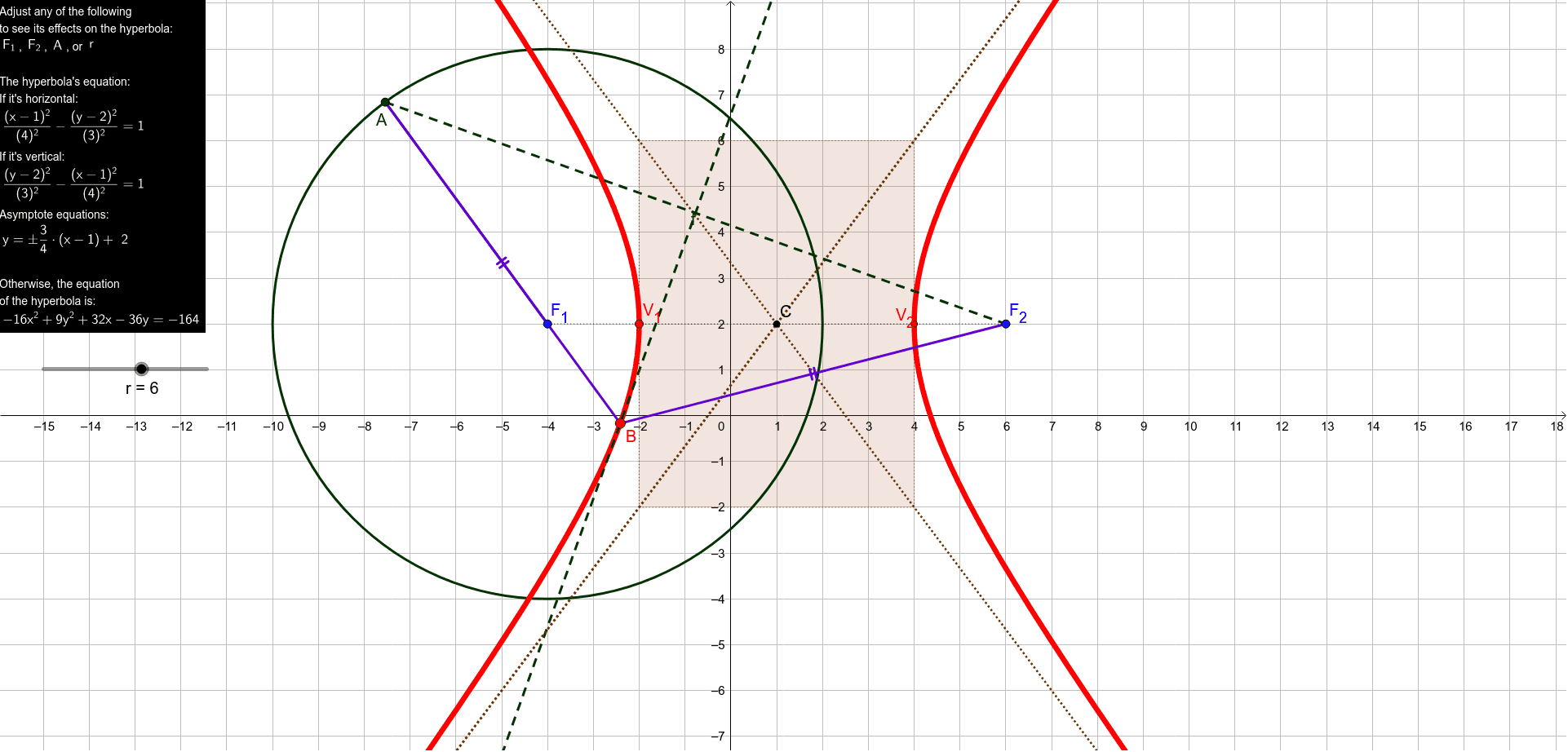
This example demonstrates the properties of hyperbolas through paper folding. It involves concepts such as hyperbolas, integers, parabolas, and fractions. Using GeoGebra commands like Circle, Point, Segment, LineBisector, Line, Intersect, Hyperbola, Midpoint, Rotate, OrthogonalLine, and Polygon, the construction of a hyperbola model is achieved. Suitable for high school mathematics education, particularly for learning about coordinate geometry and hyperbolas.
GeoGebra Commands & Parameters
Circle(F_1, r) → cPoint(c) → ASegment(A, F_2) → fLineBisector(f) → gLine(A, F_1) → hIntersect(g, h) → BLine(F_2, B) → iHyperbola(F_1, F_2, B) → dSegment(F_1, A) → jSegment(A, B) → kSegment(B, F_2) → lSegment(B, F_2) → mSegment(F_1, F_2) → nMidpoint(F_1, F_2) → CIntersect(d, n, 2) → V_1Intersect(d, n, 1) → V_2Segment(C, V_2) → pSegment(V_1, C) → qSegment(F_1, C) → sCircle(V_1, b) → eRotate(F_1, (-(90°)), C) → DRotate(F_2, (-(90°)), C) → ESegment(D, E) → n'Intersect(e, n', 1) → FLine(V_1, n') → tOrthogonalLine(F, t) → aLine(V_2, t) → f_1Rotate(F_1, 90°, C) → GRotate(F_2, 90°, C) → HSegment(G, H) → n'_1Intersect(e, n'_1) → I, JLine(I, a) → g_1Intersect(t, a) → KIntersect(a, f_1) → LIntersect(f_1, g_1) → MIntersect(t, g_1) → NPolygon(N, K, L, M) → poly1, n_1, k_1, l_1, m_1Line(N, L) → h_1Line(K, M) → i_1Line(K, L) → j_1Line(M, N) → p_1
AI Drawing Prompt Reference
Draw a hyperbola by paper folding to demonstrate its properties. Start by defining two foci and a line segment passing through one focus. Find the intersection of the perpendicular bisector of the segment with the segment itself. Construct the hyperbola using the two foci and the intersection point. Then, add auxiliary lines, segments, and circles related to the hyperbola, rotating certain elements to show symmetry. Finally, connect some lines and points to form polygons, completing the model display.
The prompt above was compiled from the original drawing commands and is for reference only.