
Interactive Hyperbola with Paper Folding
Loading the math board and drawing, please wait…
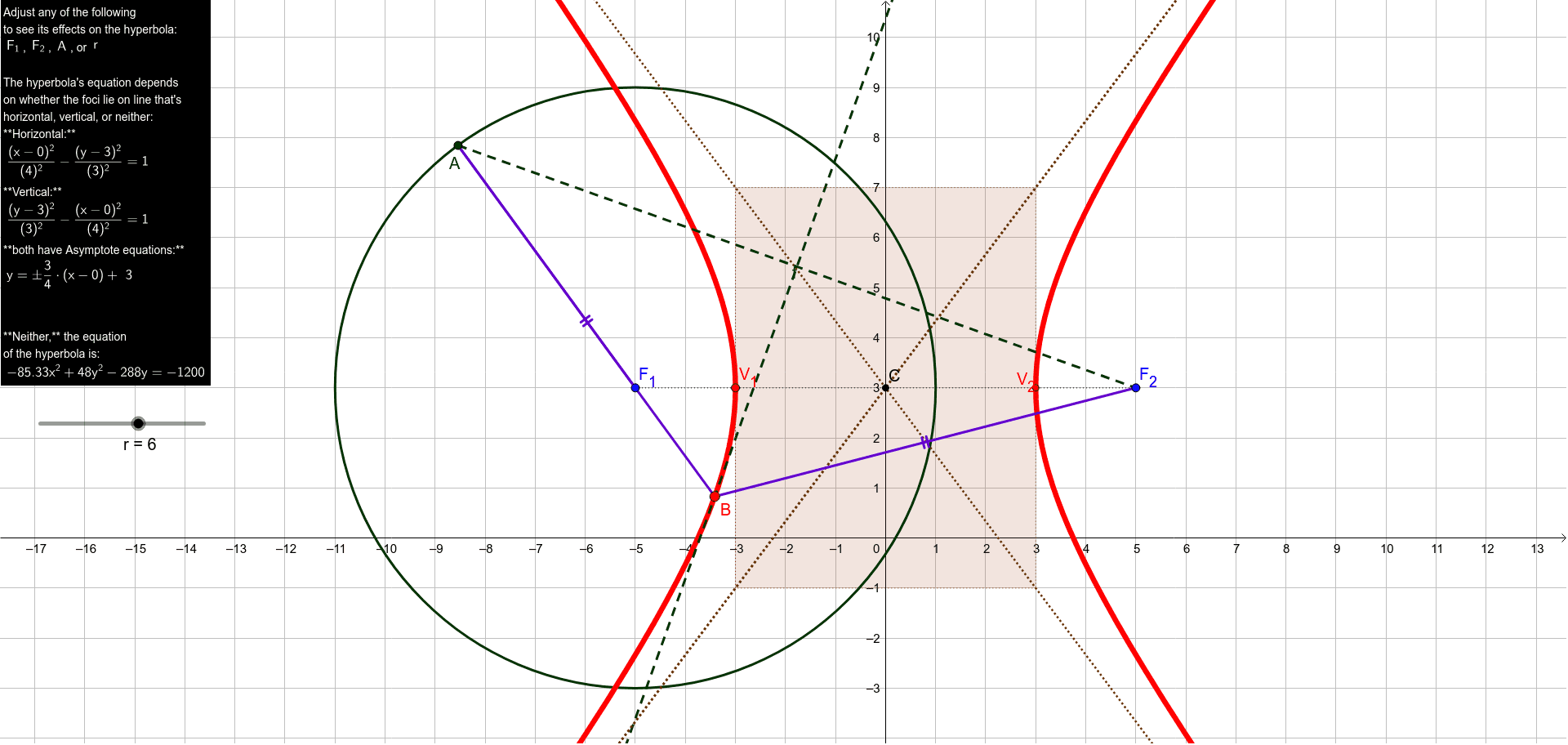
This example demonstrates the formation and properties of a hyperbola through interactive paper folding. It involves core mathematical concepts like hyperbola, isosceles triangles, median line, rational numbers, multiplication, and expected value. Construction highlights include commands such as Circle, Point, Segment, LineBisector, Line, Intersect, Hyperbola, Midpoint, Rotate, OrthogonalLine, and Polygon. Suitable for high school mathematics teaching or geometric exploration activities.
GeoGebra Commands & Parameters
Circle(F_1, r) → cPoint(c) → ASegment(A, F_2) → fLineBisector(f) → gLine(A, F_1) → hIntersect(g, h) → BLine(F_2, B) → iHyperbola(F_1, F_2, B) → dSegment(F_1, A) → jSegment(A, B) → kSegment(B, F_2) → lSegment(B, F_2) → mSegment(F_1, F_2) → nMidpoint(F_1, F_2) → CIntersect(d, n, 2) → V_1Intersect(d, n, 1) → V_2Segment(C, V_2) → pSegment(V_1, C) → qSegment(F_1, C) → sCircle(V_1, b) → eRotate(F_1, (-(90°)), C) → DRotate(F_2, (-(90°)), C) → ESegment(D, E) → n'Intersect(e, n', 1) → FLine(V_1, n') → tOrthogonalLine(F, t) → aLine(V_2, t) → f_1Rotate(F_1, 90°, C) → GRotate(F_2, 90°, C) → HSegment(G, H) → n'_1Intersect(e, n'_1) → I, JLine(I, a) → g_1Intersect(t, a) → KIntersect(a, f_1) → LIntersect(f_1, g_1) → MIntersect(t, g_1) → NPolygon(N, K, L, M) → poly1, n_1, k_1, l_1, m_1Line(N, L) → h_1Line(K, M) → i_1Line(K, L) → j_1Line(M, N) → p_1