
Integer Addition/Subtraction Demo
Loading the math board and drawing, please wait…
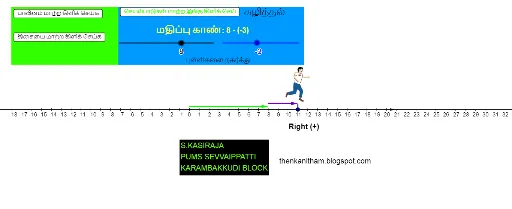
This example visually demonstrates the process of adding/subtracting integers using dynamic geometry. It involves core math concepts like integer operations, number line representation, and vector addition/subtraction. Key GeoGebra commands and objects used include Point, Vector, Segment, Polygon, Sequence, OrthogonalLine, Intersect to create an animated number line and vector operations. Suitable for middle school mathematics teaching to help students intuitively understand abstract integer operations.
GeoGebra Commands & Parameters
Point(xAxis) → APoint(xAxis) → BPoint(xAxis) → CVector(C, A) → uVector(C, B) → vIf(a ≟ 0, (Starting - Walk, 0), (Starting + Walk, 0)) → FIf(directionA ≟ 0, 1, 0) → DirectionPoint(xAxis) → OPoint(xAxis) → QPoint(xAxis) → RVector(Q, R) → zPoint(xAxis) → D_3Point(xAxis) → M_4Point(xAxis) → N_4Vector(M_4, N_4) → a_1Segment(U_4, U_4 + (0, 0.7)) → d_1Segment(U_4, U_4 + (0, 0.7)) → e_1If(a ≟ 0, (Starting - Walk, 0.8), (Starting + Walk, 0.8)) → WalkStopVector(WalkStart, WalkStop) → f_1Vector((0, 0.4), WalkStart + (0, -0.4)) → h_1Polygon(ResetPolyPt, ResetPolyPt + (2, 0), ResetPolyPt + (2, 1), ResetPolyPt + (0, 1)) → resetPoly, resetPolySegB, resetPolySegR, resetPolySegT, resetPolySegLSequence(Segment[(i, 0.14), (i, -0.14)], i, -15, 20, 1) → hashTopsPoint(xAxis) → W_4OrthogonalLine(W_4, xAxis) → fPoint(f) → Z_4OrthogonalLine(Z_4, f) → gPoint(f) → A_5OrthogonalLine(A_5, f) → hPoint(h) → B_5OrthogonalLine(B_5, h) → iPoint(h) → C_5OrthogonalLine(C_5, h) → jIntersect(g, i) → D_5Intersect(g, j) → E_5Point(h) → F_5OrthogonalLine(F_5, g) → kIntersect(g, k) → G_5Polygon(A_5, B_5, D_5, Z_4) → poly1, a_5, b_5, d_5, z_4Polygon(B_5, C_5, E_5, D_5) → poly2, b_1, c_5, e_5, d_2