
Inserting LaTeX Formulas in GeoGebra
Loading the math board and drawing, please wait…
In collections
学习 GeoGebra 经典应用
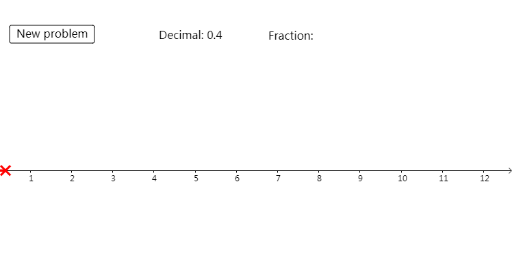
This example demonstrates how to insert LaTeX formulas in GeoGebra. It involves functions and statistical characteristics, showing how to use GeoGebra to draw and analyze mathematical graphs. Key mathematical concepts include functions and statistical characteristics. Construction points include using Random, Intersect, and Segment GeoGebra commands, involving d, n, frac, button1, A, B, a, text1, and text2 objects. Suitable grade levels or purposes include middle school and high school mathematics education, particularly in functions and statistical characteristics.
GeoGebra Commands & Parameters
Random(0, 10) → dRandom(1, 10) → nIntersect(xAxis, yAxis) → ASegment(A, B) → a
AI Drawing Prompt Reference
Create a mathematical diagram showing a function graph with statistical characteristics. Start by randomly selecting two values, one as a function parameter and one as a sample size. Mark the intersection of the coordinate axes as the origin, then draw a line segment from this origin to another random point. Insert LaTeX-formatted formulas displaying the function expression and its statistical features, such as mean or variance. The layout should clearly present the curve, the segment, and the formula annotations, suitable for middle and high school math education.
The prompt above was compiled from the original drawing commands and is for reference only.