
Inscribed Polygons
Loading the math board and drawing, please wait…
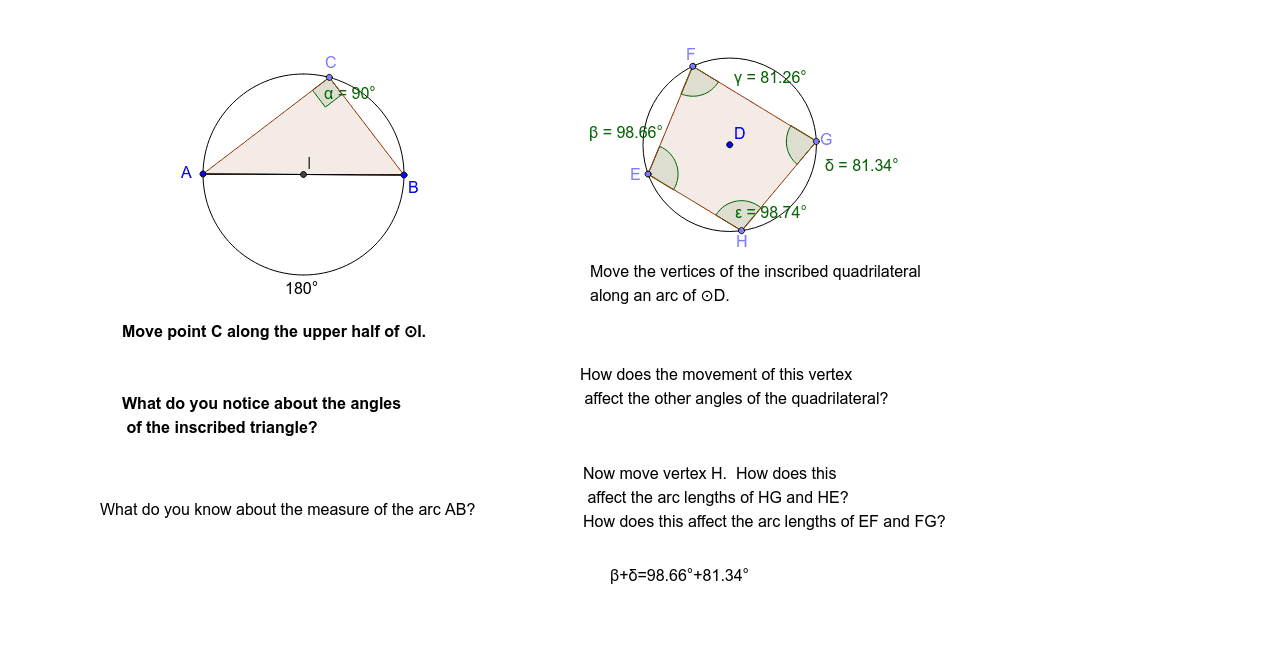
This example demonstrates the construction of inscribed polygons using GeoGebra, focusing on geometric elements like circles, angles, midpoints, and reflections. Core math concepts include polygons, circles, angles, midpoints, and symmetry. The construction utilizes commands such as Segment, Semicircle, Point, Polygon, Angle, Circle, Midpoint, and Mirror. Suitable for high school and above, this tool helps learners explore polygon properties and geometric constructions.
GeoGebra Commands & Parameters
Segment(B, A) → aSemicircle(B, A) → dSemicircle(A, B) → ePoint(e) → CPolygon(A, C, B) → poly1, b, a_1, cAngle(A, C, B) → αCircle(D, 8) → fPoint(f) → EPoint(f) → FPoint(f) → GPoint(f) → HPolygon(E, F, G, H) → poly2, e_1, f_1, g, hAngle(H, E, F) → βAngle(E, F, G) → γAngle(F, G, H) → δAngle(G, H, E) → εMidpoint(A, B) → IAngle(B, I, A) → ζMirror(B, c) → B'Mirror(A, c) → A'Segment(B', A') → a'Point(d) → J