
Incenter and Incircle Action (V2)
Loading the math board and drawing, please wait…
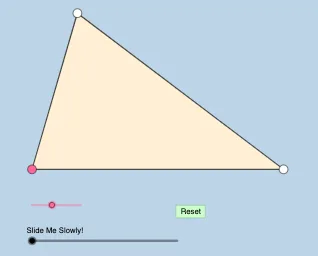
This example demonstrates the incenter and incircle of a triangle. Key mathematical concepts include the definition of the incenter, properties of the incircle, and related geometric constructions. Using commands like Rotate, Angle, Segment, Ray, etc., users can dynamically explore the properties of the incircle. Suitable for middle school and above students and teachers.
GeoGebra Commands & Parameters
Rotate(A, (a * π / 180), B) → A'Angle(A, B, A') → αSegment(B, A) → fRay(B, A') → gPoint(g) → CSegment(A, C) → hSegment(B, C) → iPolygon(B, A, C) → t1, c, b, a_1Angle(C, A, B) → βAngle(B, C, A) → γRotate(C, β / 2, A) → C'Angle(C, A, C') → δRotate(A, α / 2, B) → A'_1Angle(A, B, A'_1) → εRotate(B, γ / 2, C) → B'Angle(B, C, B') → ζRay(B, A'_1) → jRay(A, C') → kRay(C, B') → lIntersect(j, k) → DMin({i, f, h}) → dCircle(B, (0.2 * d)) → eCircle(A, (0.2 * d)) → pCircle(C, (0.2 * d)) → qOrthogonalLine(D, f) → mOrthogonalLine(D, h) → nOrthogonalLine(D, i) → rIntersect(m, f) → EIntersect(n, h) → FIntersect(r, i) → GIntersect(e, j, 1) → HIntersect(p, k, 1) → IIntersect(p, h, 1) → JIntersect(e, f, 1) → KIntersect(q, i) → L,Intersect(q, l, 1) → MRotate(K, If[1 < o ≤ 2, ((o - 1) * ε), ε], B) → K'Dilate(B, If[0 < o ≤ 1, 1 - o, 0], D) → B'_1Segment(B, B'_1) → sCircleSector(B, K, K') → tRotate(t, If[3 < o ≤ 4, ((o - 3) * ε), ε], B) → t'Dilate(A, If[4 < o ≤ 5, 5 - o, 0], D) → A'_2Segment(A, A'_2) → f_1Rotate(J, If[5 < o ≤ 6, ((o - 5) * δ), δ], A) → J'CircleSector(A, J, J') → c_1Rotate(c_1, If[7 < o ≤ 8, ((o - 7) * δ), δ], A) → d_1Dilate(C, If[8 < o ≤ 9, 9 - o, 0], D) → C'_1Segment(C, C'_1) → h_1Rotate(L, If[9 < o ≤ 10, ((o - 9) * ζ), ζ], C) → L'CircleSector(C, L, L') → e_1Rotate(e_1, If[11 < o ≤ 12, ((o - 11) * ζ), ζ], C) → k_1Dilate(D, If[13 < o ≤ 14, 14 - o, 0], E) → D'Dilate(D, If[14 < o ≤ 15, 15 - o, 0], F) → D'_1Dilate(D, If[15 < o ≤ 16, 16 - o, 0], G) → D'_2Segment(D, D') → i_1Segment(D, D'_1) → j_1Segment(D, D'_2) → l_1Angle(D, E, B) → ηAngle(D, F, A) → θAngle(D, G, C) → ιAngle(E, D, F) → κAngle(F, D, G) → λRotate(D, If[17 < o ≤ 18, ((o - 17) * κ), κ], D) → D'_3Rotate(D', If[17 < o ≤ 18, ((o - 17) * κ), κ], D) → D''Segment(D'_3, D'') → m_1Rotate(D'_3, If[18 < o ≤ 19, ((o - 18) * λ), λ], D) → PRotate(D'', If[18 < o ≤ 19, ((o - 18) * λ), λ], D) → D'''Segment(P, D''') → n_1Rotate(G, If[19 < o ≤ 21, ((o - 19) * π), (2 * π)], D) → G'CircleArc(D, G, G') → p_1Circle(D, E) → q_1
AI Drawing Prompt Reference
Draw a triangle ABC and construct its incircle. First, find the angle bisectors of the triangle through rotation and angle calculation. Then, use these bisectors to locate the incenter D. Draw a circle with D as the center and one-fourth of the triangle's side length as the radius, which is the incircle. Finally, connect the incenter D with the vertices of the triangle to form the intersection points with the incircle, completing the construction of the incircle.
The prompt above was compiled from the original drawing commands and is for reference only.