
Implicit Differentiation Quick Check
Loading the math board and drawing, please wait…
In collections
BC Calculus
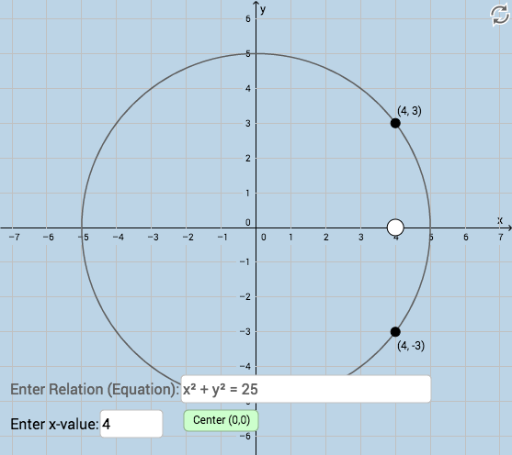
This example demonstrates how to use GeoGebra for checking the numerical accuracy of implicit differentiation problems. Students can visually verify their solutions. Key math concepts include derivatives, difference and slope, special points, ratios, arithmetic mean, piecewise functions, and tangent lines. Construction highlights involve using commands like Intersect and Textfield, along with objects such as a, A, f, a_1, B, C, InputBox1, InputBox2, and button1 for interactive input and computation. Suitable for high school and above students learning calculus.
GeoGebra Commands & Parameters
Intersect(a_1, f) → B, CTextfield(a_1) → InputBox1Textfield(a) → InputBox2
AI Drawing Prompt Reference
Draw a graph for checking the numerical accuracy of implicit differentiation, featuring a curve and two intersection points, showing where the curve intersects with input parameters, and labeling the input parameters and curve equation for students to verify their differentiation results, including interactive input boxes and a button for computation.
The prompt above was compiled from the original drawing commands and is for reference only.