
IM Geo 1.9 Practice: Speedy Delivery (Mirror & Segment Construction)
Loading the math board and drawing, please wait…
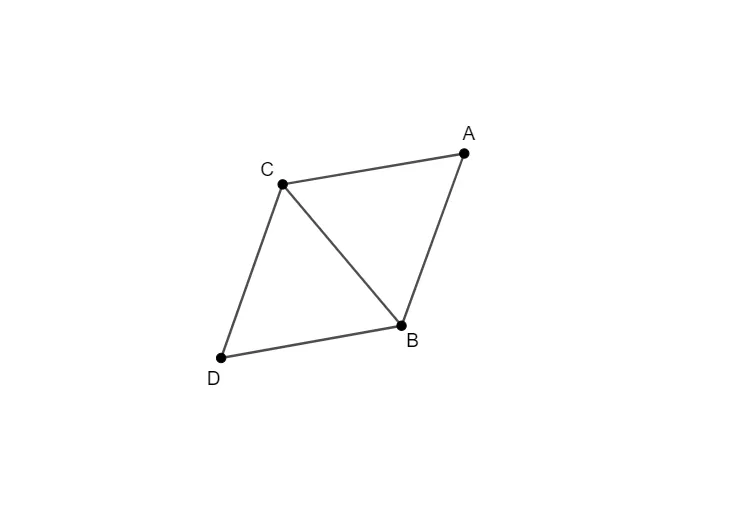
① This example demonstrates how to use GeoGebra's Segment and Mirror tools to construct a geometric figure related to a 'Speedy Delivery' scenario, visually showing the relationships among points, segments, and their mirror images. ② The core mathematical concepts include geometric transformations (specifically reflection/axial symmetry), properties of line segments, and positional relationships in a plane. Although the original tags mention logarithmic functions, fractions, LCM/GCD, cosine, and general quadrilaterals, the primary focus here is on geometric construction and transformation. ③ Construction highlights: Based on the summary, the commands used are Segment (creating segments f, g, h) and Mirror (reflecting points or segments), involving objects A, B, C, D and auxiliary objects i, j, illustrating a step-by-step build from basic elements to a composite figure. ④ This is suitable for middle or high school students learning geometric transformations and construction, and can serve as a classroom exercise or self-study material to deepen understanding of reflection and precise segment drawing.
GeoGebra Commands & Parameters
Segment(A, B) → fSegment(B, C) → gSegment(C, A) → hMirror(A, g) → DSegment(C, D) → iSegment(D, B) → j
AI Drawing Prompt Reference
Draw a triangle formed by three line segments, then reflect one of the triangle's vertices across one of its sides to get a new point, and connect this new point to the other two vertices of the triangle to form a new quadrilateral, demonstrating the geometric relationships of reflection and line segments.
The prompt above was compiled from the original drawing commands and is for reference only.