
Identifying Polygons
Loading the math board and drawing, please wait…
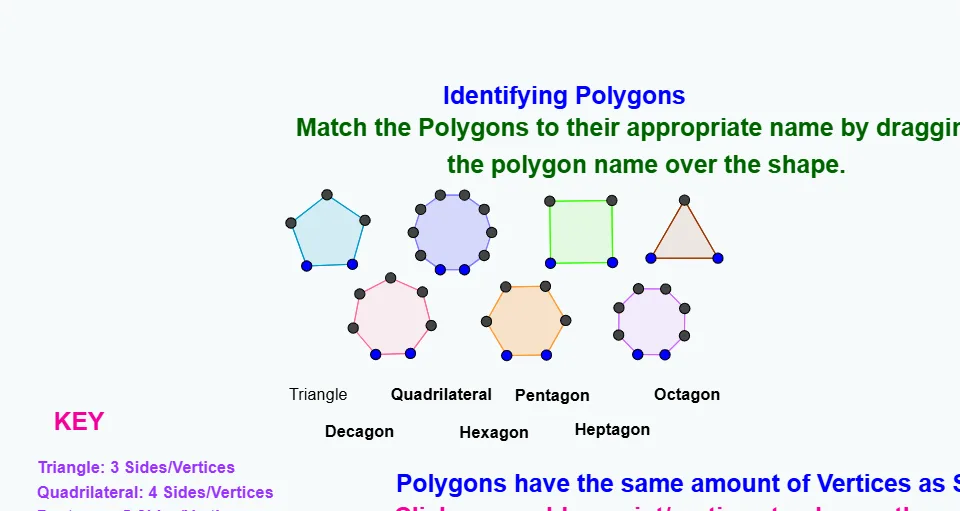
This example demonstrates how to identify polygons by their number of vertices and sides. The key mathematical concepts involve polygon properties and geometric construction. Construction points include using GeoGebra commands like Polygon, D, E, poly2, etc. Suitable for middle or high school mathematics teaching to help students understand polygon characteristics.
GeoGebra Commands & Parameters
Polygon(D, E, 4) → poly2, d, e, f, g, F, GPolygon(A, B, 8) → poly1, a, H, I, J, K, L, b, c, h, i, j, k, l, CPolygon(M, N, 5) → poly3, m, n, p, q, r, O, P, QPolygon(R, S, 6) → poly4, s, W, t, a_1, b_1, c_1, d_1, T, U, VPolygon(Z, A_1, 7) → poly5, e_1, D_1, E_1, F_1, f_1, g_1, h_1, i_1, j_1, k_1, B_1, C_1Polygon(G_1, H_1, 10) → poly6, l_1, b_2, I_1, J_1, K_1, L_1, M_1, N_1, O_1, P_1, m_1, n_1, p_1, q_1, r_1, s_1, t_1, a_2Polygon(Q_1, R_1, 3) → poly7, c_2, d_2, e_2, S_1
AI Drawing Prompt Reference
Construct several closed polygons on the plane in sequence. First define a quadrilateral from one chosen pair of endpoints, then create an octagon from another pair. After that, use further endpoint pairs to form a pentagon, a hexagon, and a heptagon. Finally, create a decagon and a triangle from two additional endpoint pairs. Make all vertices clearly visible so the number of sides and vertices can be counted to identify each polygon type, following the order from 4, 8, 5, 6, 7, 10, then 3.
The prompt above was compiled from the original drawing commands and is for reference only.