
Hyperbola Exploration by Michael Ghormley
Loading the math board and drawing, please wait…
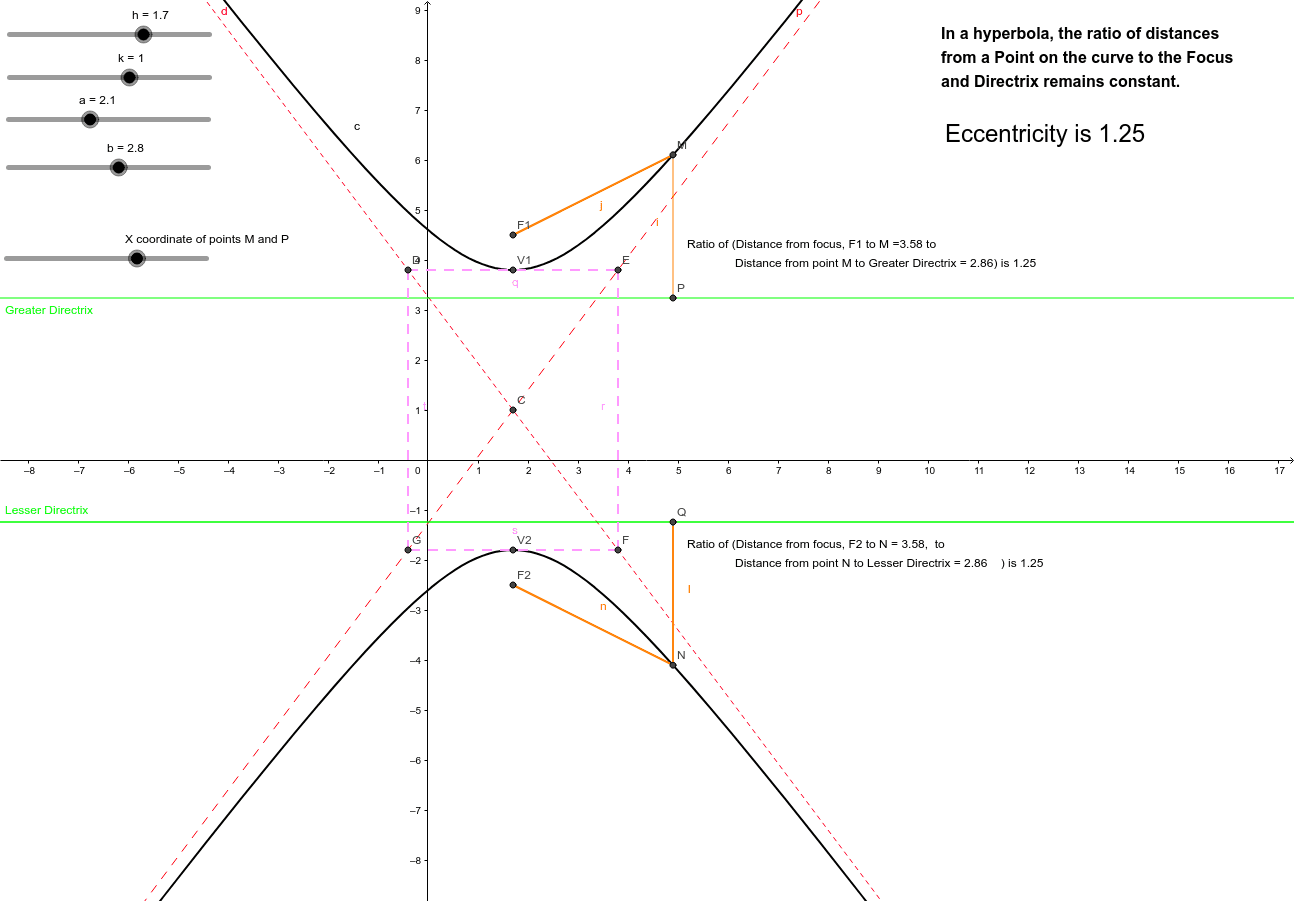
This example demonstrates the geometric properties of hyperbolas, focusing on key concepts such as asymptotes and vertices. Using GeoGebra commands like Segment, users can dynamically adjust the parameters of the hyperbola and observe its changes. Suitable for high school mathematics education and learning.
GeoGebra Commands & Parameters
Segment(F1, M) → jSegment(N, Q) → lSegment(N, F2) → nSegment(M, P) → iSegment(D, E) → qSegment(E, F) → rSegment(F, G) → sSegment(G, D) → t
AI Drawing Prompt Reference
Draw a hyperbola exploration diagram. Start by plotting the two foci and marking the vertices. From one focus, draw a segment to a point on the hyperbola, then connect that point to both foci to form a triangle. Similarly, from the other focus, draw a segment to another point on the hyperbola, and connect that point to both foci. Additionally, draw the two asymptotes of the hyperbola, and construct a quadrilateral whose four sides connect four intersection points on the asymptotes. The overall figure shows the hyperbola, foci, vertices, asymptotes, and the geometric relationships formed by these segments.
The prompt above was compiled from the original drawing commands and is for reference only.