
House Example
Loading the math board and drawing, please wait…
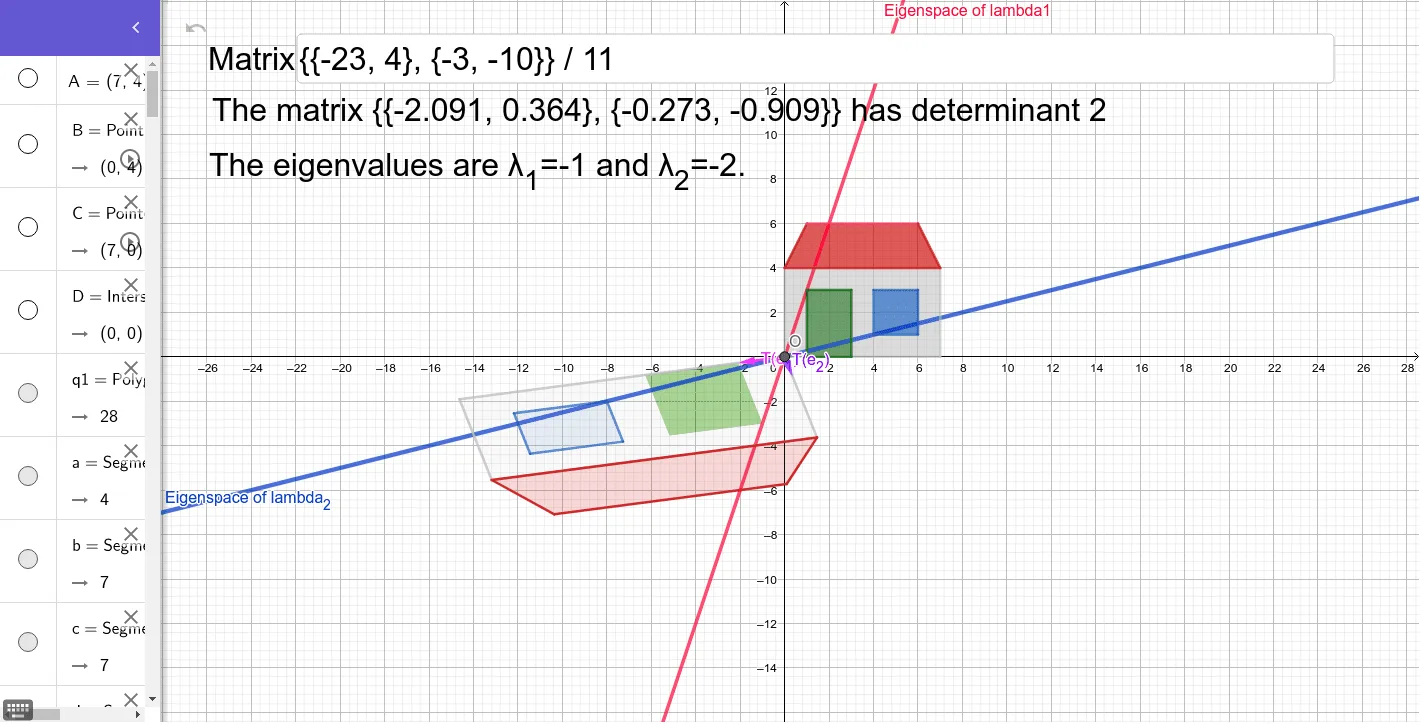
This example demonstrates the eigenvalues of a transformation. By drawing an isosceles triangle and applying transformations, it uses GeoGebra commands such as Point, Intersect, Polygon to dynamically show the effect of linear transformations on geometric figures. Suitable for high school mathematics education, particularly in linear algebra and transformations.
GeoGebra Commands & Parameters
Point(yAxis) → BPoint(xAxis) → CIntersect(xAxis, yAxis) → DPolygon(D, B, A, C) → q1, d, b, a, cPoint(c) → FPoint(c) → GPolygon(E, F, G, H) → q2, e, f, g, hPolygon(I, J, K, L) → q3, i, j, k, lPolygon(B, M, N, A) → q4, b_1, m, n, a_1Polygon(A1, B1, D, C1) → q5, t, f_1, g_1, h_1Polygon(L1, K1, J1, I1) → q6, l1, k1, j1, i1Polygon(A1, N1, M1, B1) → q8, p, q, r, sTextfield(T) → MatrixVector((1, 0)) → e1Vector((0, 1)) → e2Vector((T * e1)) → Te1Vector((T * e2)) → Te2Polygon(E1, F1, G1, H1) → D2, i_1, j_1, k_1, l_1Textfield(T_1) → Matrix_1Determinant(T) → detTIntersect(d, c) → OLine(O, EV1) → m_1Line(O, EV2) → n_1
AI Drawing Prompt Reference
Draw an isosceles triangle ABC. Then apply linear transformations around the origin to generate new shapes. First, take point B on the y-axis and point C on the x-axis, with the origin as point D. Use D, B, and A to form the isosceles triangle. Next, take two new points F and G on C to form triangle EFG. Then, take two new points I and J on A to form triangle IJK. After that, take two new points M and N on B to form triangle BMN. Then, take two new points B1 and D on A1 to form triangle A1B1D. Next, take two new points K1 and J1 on L1 to form triangle L1K1J1. Finally, take two new points N1 and M1 on A1 to form triangle A1N1M1.
The prompt above was compiled from the original drawing commands and is for reference only.