
Hexagon Translation: Exploring Geometric Transformations
Loading the math board and drawing, please wait…
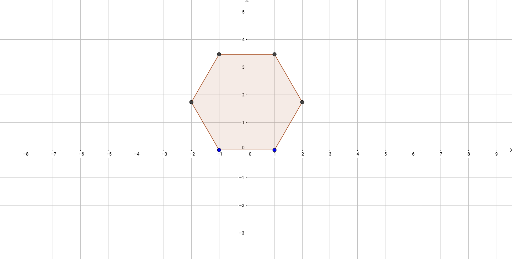
① This GeoGebra example dynamically demonstrates the translation of a hexagon along a direction, showing how the shape moves while preserving its size and orientation. ② Core mathematical concepts include translation (vector transformation), polygons, and the invariance of side lengths, angles, and area under translation; it also touches on natural numbers and addition (e.g., counting vertices or translation steps) and uses pie/circle charts for proportional visualization. ③ Construction highlights: the Polygon command creates the hexagon (objects A, B, poly1), while translation vectors or related objects (f, g, h, i, j, k) are defined; points C, D, E, F are constructed to form the translated image, with sliders or buttons controlling the translation amount for interactive animation. ④ Suitable for middle school geometry, introductory high school vector lessons, and math lab activities exploring transformation properties; also useful for teachers creating dynamic worksheets.
GeoGebra Commands & Parameters
Polygon(A, B, 6) → poly1, f, F, g, h, i, j, k, C, D, E
AI Drawing Prompt Reference
Draw a regular hexagon and show its translation along a direction. Start with the original hexagon, marking its six vertices. Then use a slider or button to control the translation distance and direction, producing a translated hexagon identical in size and shape. Connect corresponding vertices of the original and translated hexagons with dashed lines or arrows to indicate the translation vector. Include a pie or donut chart to visually represent that the area and side lengths remain unchanged after translation. The overall composition should clearly emphasize the invariance of shape, size, and orientation under translation.
The prompt above was compiled from the original drawing commands and is for reference only.