
H Rectangle Construction: Orthocenter and Rectangle Geometry
Loading the math board and drawing, please wait…
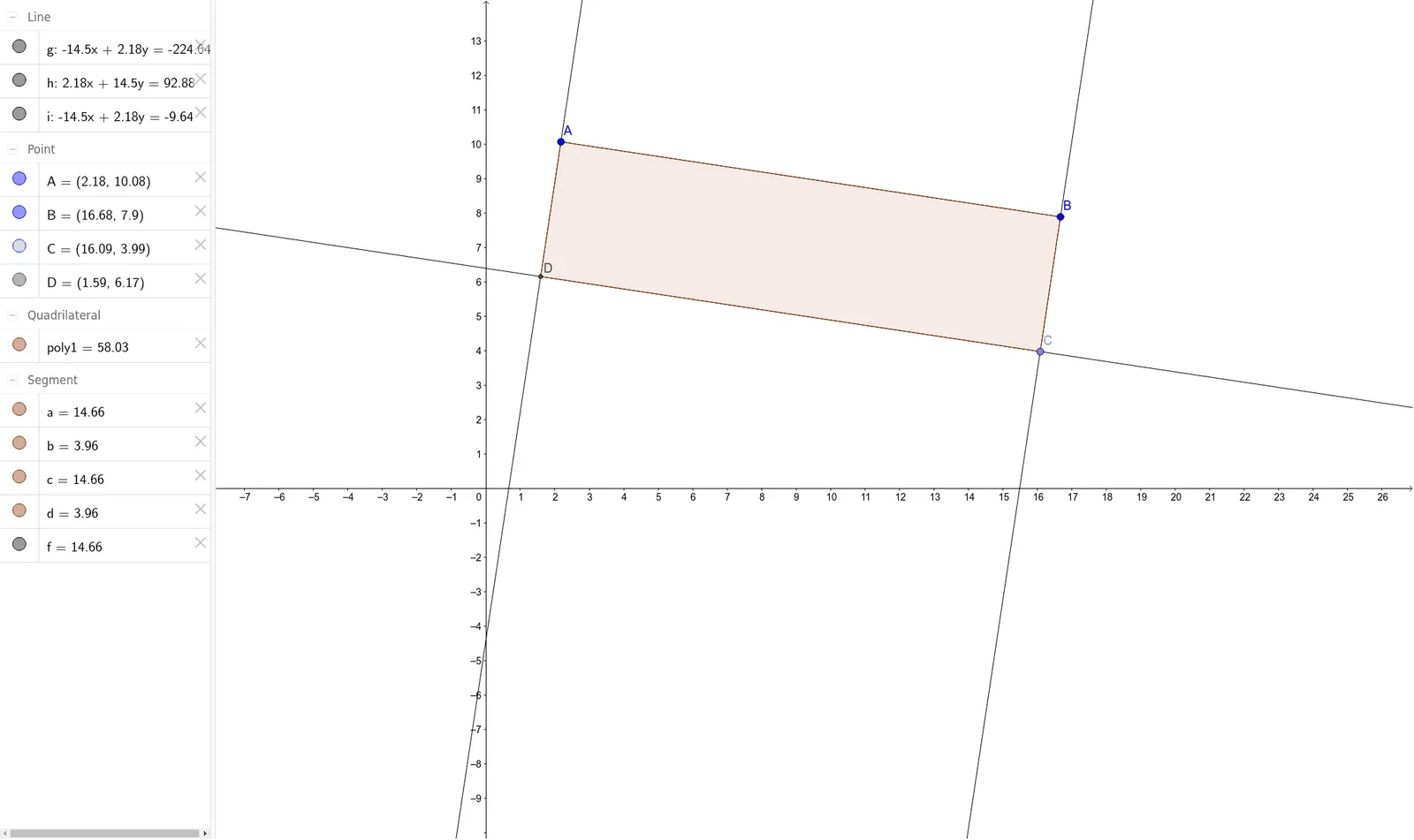
This example demonstrates how to construct a rectangle using the orthocenter of a triangle, revealing the geometric relationship between the orthocenter, perpendicular lines, and rectangle vertices. Core mathematical concepts include the orthocenter (intersection of the three altitudes of a triangle), orthogonal lines, rectangle properties, and comparisons of power and linear functions. Construction steps: using GeoGebra commands Segment, OrthogonalLine, Point, Line, Intersect, and Polygon, the points A, B, segments f, g, point C, perpendicular lines h, i, intersection point D, and rectangle poly1 are created, with auxiliary objects a, b, c, d defined. This example is suitable for middle and high school geometry classes, helping students intuitively understand the orthocenter's properties and how to construct special quadrilaterals using perpendicular lines, while also enabling cross-topic exploration with function graphs.
GeoGebra Commands & Parameters
Segment(A, B) → fOrthogonalLine(B, f) → gPoint(g) → CLine(C, f) → hOrthogonalLine(A, f) → iIntersect(h, i) → DPolygon(A, B, C, D) → poly1, a, b, c, d
AI Drawing Prompt Reference
Draw a rectangle using the orthocenter of a triangle. First, connect points A and B to form line segment f. Then, draw a perpendicular line g through point B with f as its diameter. Take point C on line segment f. Next, draw a perpendicular line h from point C to line segment f. Draw another perpendicular line i through point A with f as its diameter. The intersection of h and i is the orthocenter D. Finally, connect points A, B, C, and D to form rectangle poly1.
The prompt above was compiled from the original drawing commands and is for reference only.