
Exploring the Area of a Triangle by user1917
Loading the math board and drawing, please wait…
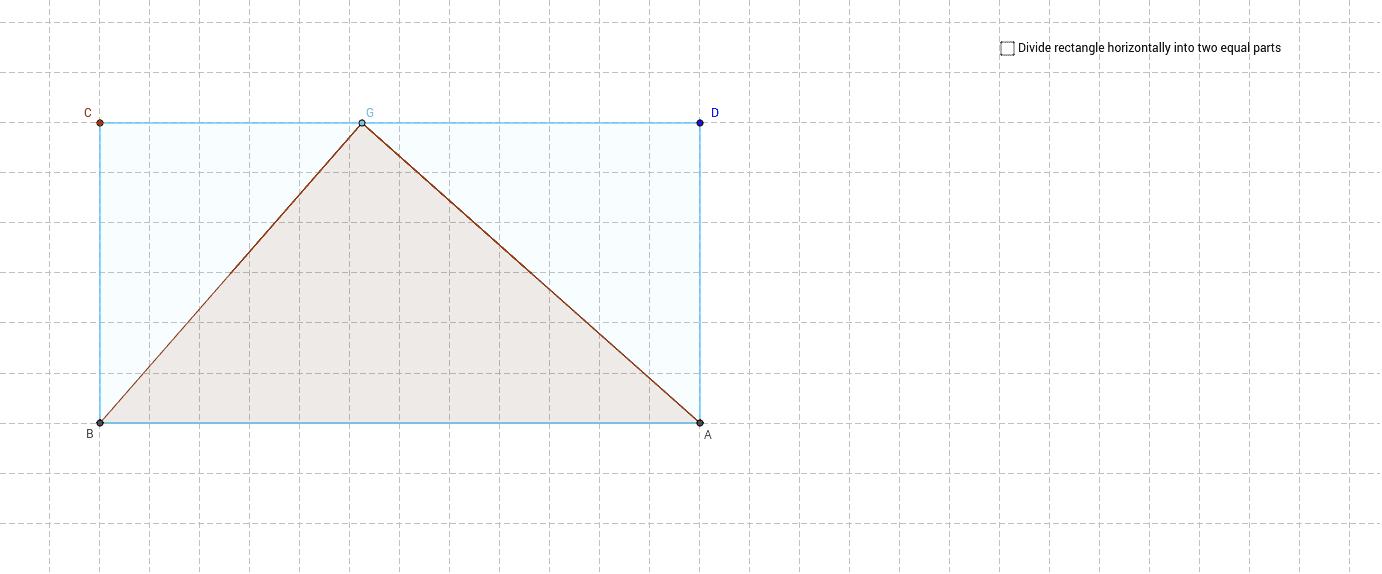
This example guides students to explore how to calculate the area of a triangle using GeoGebra software. Key concepts include the formula for the area of a triangle and its application. Commands used include Line, Point, Polygon, Segment, and others. Suitable for middle school and above students learning geometric construction and area calculation.
GeoGebra Commands & Parameters
Line(A_1, B_1) → aPoint(a) → COrthogonalLine(C, a) → bPoint(b) → DOrthogonalLine(D, b) → cIntersect(a, xAxis) → BIntersect(c, xAxis) → ASegment(C, D) → dPoint(d) → GPolygon(B, G, A) → poly1, f, e, gMidpoint(C, B) → HMidpoint(D, A) → ISegment(H, I) → hIntersect(f, h) → JIntersect(e, h) → NOrthogonalLine(G, d) → iIntersect(i, h) → LSegment(G, L) → jPolygon(J, G, L) → poly2, l, j_1, g_1Polygon(L, G, N) → poly3, k, l_1, g_2Segment(G, A) → mPolygon(B, J, N, A) → poly4, e_1, j_2, k_1, f_1Circle(M_1, 1) → pPoint(p) → N_1Segment(M_1, N_1) → nPoint(p) → OSegment(M_1, O) → qAngle(N_1, M_1, O) → γRotate(J, γ, J) → MRotate(G, γ, J) → G'_2Rotate(L, γ, J) → L'_2Polygon(M, G'_2, L'_2) → poly2'_1, l'_2, j'_1, g'_2Circle(P, 1) → rPoint(r) → QPoint(r) → RAngle(R, P, Q) → δSegment(Q, P) → sSegment(P, R) → tRotate(N, δ, N) → K'Rotate(L, -δ, N) → L'_1Rotate(G, -δ, N) → G'_1Rotate(N, -δ, N) → K'_1Polygon(L'_1, G'_1, K'_1) → poly3'_1, k'_1, l'_1, g'_1Polygon(J, G, L) → poly5, l_2, j_3, g_3Polygon(G, L, N) → poly6, k_2, g_4, l_3Polygon(B, C, D, A) → poly7, e_2, c_1, d_1, f_2Point(j) → SPoint(h) → TPolygon(S, L, 4) → poly8, a_1, b_1, h_1, i_1, U, VPoint(h) → KPolygon(G, K, M) → poly9, m_1, g_5, k_3Point(h) → ZPolygon(G, Z, N) → poly10, n_1, g_6, z
AI Drawing Prompt Reference
Draw a triangle ABC, then construct its circumcircle using the midlines and rotations to generate new triangles, ultimately forming five triangles. First, draw the three vertices A, B, and C of the triangle. Then, draw a line segment through B and C, and through C, draw a line perpendicular to it, finding its intersection with the x-axis at point D. Next, draw a line perpendicular to the original line segment through D, finding its intersection with the x-axis at point A. Construct the midlines of triangle ABC, rotate them to generate new triangles, and use these triangles to construct the circumcircle.
The prompt above was compiled from the original drawing commands and is for reference only.