
Greatest Common Factor and Least Common Multiple Visualizer
Loading the math board and drawing, please wait…
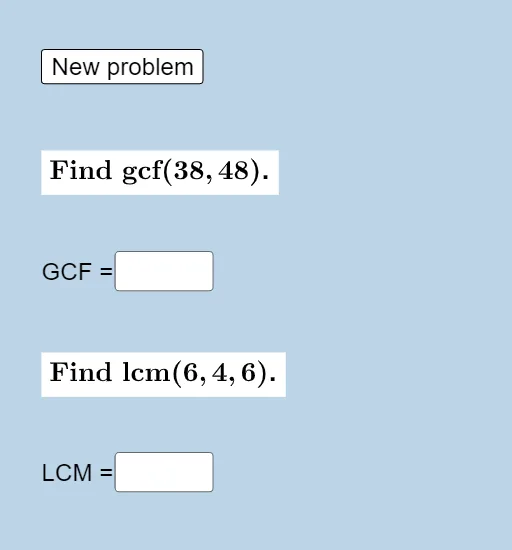
① This applet demonstrates the computation of the Greatest Common Factor (GCF) and Least Common Multiple (LCM) for a list of counting numbers through interactive input fields and dynamic text output. ② Core mathematical concepts include factors, multiples, prime factorization, and the relationship between GCF and LCM (the product of two numbers equals the product of their GCF and LCM). ③ Construction highlights: uses GeoGebra commands GCD and LCM for direct calculation, Textfield and If for conditional logic and user input handling, CasillaDeEntrada (input boxes) to accept numbers, and objects like MaxDiv and MinMul to illustrate ranges of divisors and multiples, with results displayed as text. ④ Suitable for upper elementary to middle school students learning factors and multiples, and for teachers demonstrating GCF/LCM methods in class or for self-paced exploration.
GeoGebra Commands & Parameters
GCD(a, b) → gcfLCM({c, d, e}) → lcmTextfield(MaxDiv) → CasillaDeEntrada1Textfield(MinMul) → CasillaDeEntrada2If(MaxDiv ≟ gcf, "Way to go!", "Not quite, try again!") → texto3If(MinMul ≟ lcm, "Way to go!", "Not quite, try again!") → texto4
AI Drawing Prompt Reference
Create an interactive math teaching interface that visualizes the calculation of the greatest common factor (GCF) and least common multiple (LCM). The layout includes two input boxes: one for entering two numbers, and another for three numbers. Below each input box, display a dynamic text output showing the computed GCF or LCM respectively. Next to each result, include a feedback area that shows a congratulatory message when the answer is correct, or a prompt to try again when incorrect. The design should be clean and suitable for classroom use, with large fonts and clear spacing for easy reading.
The prompt above was compiled from the original drawing commands and is for reference only.