
Graphing and Analyzing a Line
Loading the math board and drawing, please wait…
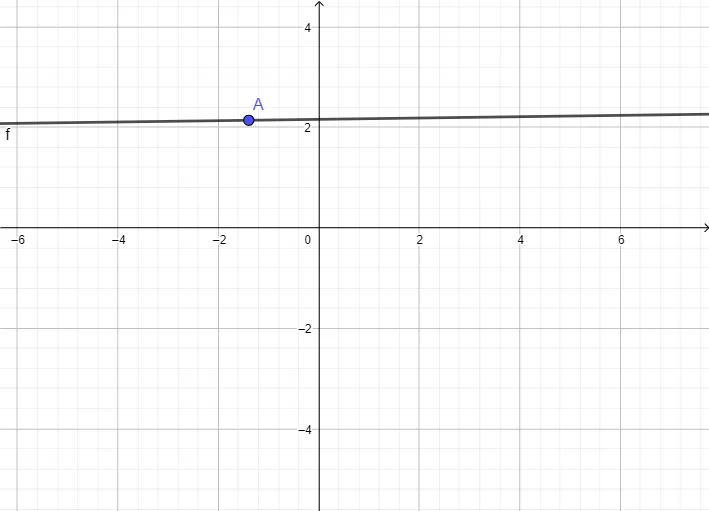
This example demonstrates how to draw a straight line on a coordinate plane and use its graph to analyze the linear relationship. It focuses on coordinate geometry and the equation of a line, including the role of key points, linear functions, and the connection between an algebraic form and its visual representation. Construction-wise, it uses the GeoGebra command Line with objects A, B, and f: the Line is defined by the two points A and B, while f represents the corresponding linear function/equation linked to the drawn line. The result is an interactive way to study how changing parameters affects the line and its equation. Suitable for middle and high school learning, and for classroom demos, homework support, and self-guided exploration of linear equations.
GeoGebra Commands & Parameters
Line(A, B) → f
AI Drawing Prompt Reference
Draw a straight line on a coordinate plane, defined by two key points, and display its corresponding linear equation. The graph should include axes, grid, two movable points, and the line passing through them, along with the equation form. Adjusting the points changes the line and equation together, showing how slope and intercept affect the line. Construction order: place two points, connect them to form a line, then link the equation. This is for analyzing linear relationships, suitable for classroom demos or self-study.
The prompt above was compiled from the original drawing commands and is for reference only.