
Graphing a Vertical Line Segment without Parametric Equations
Loading the math board and drawing, please wait…
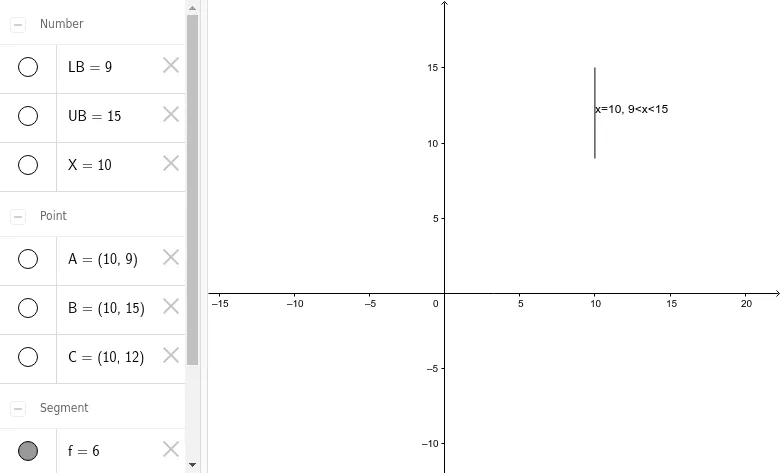
This example demonstrates how to graph a vertical line segment without using parametric equations. By changing the numerical values, you can easily adjust the lower and upper bounds of the segment. The core mathematical concepts involve linear equations and analytical geometry. Key construction steps include using the Segment command to draw the segment, the Midpoint command to find the midpoint, and objects such as UB, LB, X, A, B, f, C, and text1. It is suitable for high school students learning analytical geometry and function graphing.
GeoGebra Commands & Parameters
Segment(A, B) → fMidpoint(f) → C
AI Drawing Prompt Reference
Draw a vertical line segment without using parametric equations, where you can easily adjust the lower and upper bounds by changing numerical values. First, find the two endpoints of the segment, then draw the line segment connecting these endpoints and mark the midpoint of the segment.
The prompt above was compiled from the original drawing commands and is for reference only.