
Graphical Representation of Fractions and Decimals: Comparing Water Bottle Filli
Loading the math board and drawing, please wait…
In collections
Bruchzahlen in endliche Dezimalzahlen umrechnen
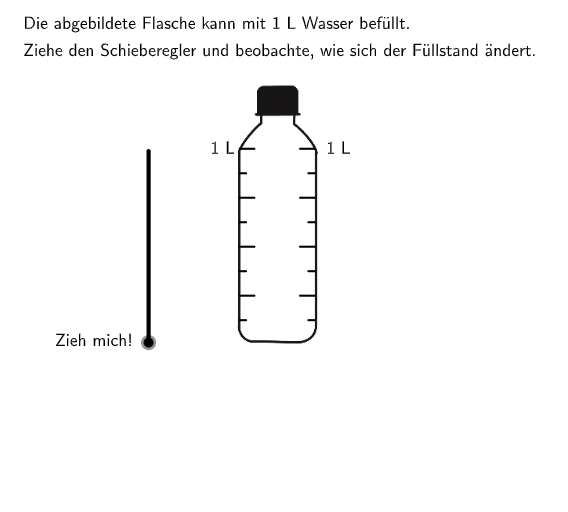
This example demonstrates how to visually compare the water levels in two water bottles. The key mathematical concepts involve converting fractions to decimals and comparing their values. Construction uses GeoGebra commands like Textfield, Segment, and If to create the water bottle models, with a slider for adjustable water levels. Suitable for elementary students (grades 5-6) to develop number sense and fraction-decimal conversion skills.
GeoGebra Commands & Parameters
Textfield(input1) → InputBox1Segment((-0.8, 1 / verzerrung), (-0.65, 1 / verzerrung)) → fSegment((-0.8, 2 / verzerrung), (-0.45, 2 / verzerrung)) → gSegment((-0.8, 3 / verzerrung), (-0.65, 3 / verzerrung)) → hSegment((-0.8, 4 / verzerrung), (-0.45, 4 / verzerrung)) → iSegment((-0.8, 5 / verzerrung), (-0.65, 5 / verzerrung)) → jSegment((-0.8, 7 / verzerrung), (-0.65, 7 / verzerrung)) → lSegment((-0.8, 6 / verzerrung), (-0.45, 6 / verzerrung)) → nSegment((-0.8, 8 / verzerrung), (-0.45, 8 / verzerrung)) → kSegment((1, 1 / verzerrung), (0.85, 1 / verzerrung)) → mSegment((1, 3 / verzerrung), (0.85, 3 / verzerrung)) → qSegment((1, 2 / verzerrung), (0.65, 2 / verzerrung)) → pSegment((1, 4 / verzerrung), (0.65, 4 / verzerrung)) → rSegment((1, 5 / verzerrung), (0.85, 5 / verzerrung)) → sSegment((1, 6 / verzerrung), (0.65, 6 / verzerrung)) → tSegment((1, 7 / verzerrung), (0.85, 7 / verzerrung)) → aSegment((1, 8 / verzerrung), (0.65, 8 / verzerrung)) → bTextfield(input2) → InputBox2Textfield(input3) → InputBox3If(Mod[slider, 2] ≠ 0, (-6.14, -1.82), (-5.4, -1.82)) → PText
AI Drawing Prompt Reference
Draw two water bottles with eight horizontal lines each to represent different water levels. Connect the horizontal lines on both sides of the bottles with straight lines to show the comparison of water levels. Add an input box below the left bottle for entering fractions, an input box below the right bottle for entering decimals, and a slider to adjust the water levels. Display different text prompts based on the position of the slider.
The prompt above was compiled from the original drawing commands and is for reference only.