
Granny, Mummy and me
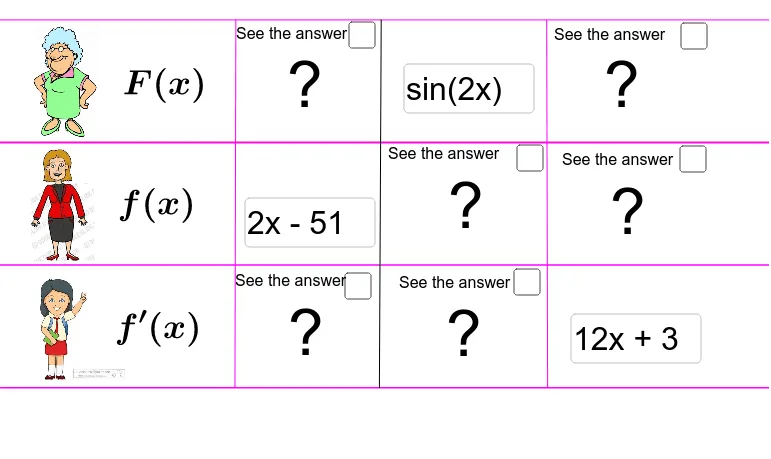
Loading the math board and drawing, please wait…
This example demonstrates the construction of geometric figures and function graphs using elements like points, lines, orthogonal lines, derivatives, and integrals. Core math concepts include derivatives, centroids, linear functions, and linear equations. Construction highlights the use of GeoGebra commands/objects such as Point, Line, OrthogonalLine, Derivative, Integral, Textfield, Segment as per the summary. Suitable for high school students learning analytical geometry and calculus.
GeoGebra Commands & Parameters
Point(xAxis) → ALine(A, xAxis) → aPoint(yAxis) → COrthogonalLine(C, yAxis) → bPoint(yAxis) → DOrthogonalLine(D, yAxis) → cPoint(yAxis) → EOrthogonalLine(E, yAxis) → dDerivative(fun) → fun1Integral(fun) → fun0Textfield(fun) → InputBox1Textfield(Prim) → InputBox2Derivative(Prim) → Prim1Derivative(Prim1) → Prim2Textfield(der) → InputBox3Integral(der) → Der1Integral(Der1) → der2Point(d) → LPoint(a) → MSegment(L, M) → ePoint(d) → NPoint(a) → OSegment(N, O) → fPoint(d) → PPoint(a) → QSegment(P, Q) → g
AI Drawing Prompt Reference
Draw a geometric figure consisting of points, lines, derivatives, and integrals. Start with points on the axes, then draw perpendicular lines. Create line segments and points to form the figure. Show the relationship between derivatives and integrals in the figure.
The prompt above was compiled from the original drawing commands and is for reference only.