
Glide Reflection - Walking
Loading the math board and drawing, please wait…
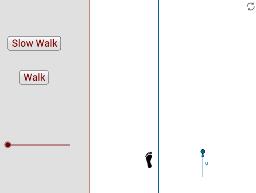
This example demonstrates the process of glide reflection, showcasing geometric transformations involving reflection and translation. It covers key concepts such as reflection, vectors, and step functions. Using GeoGebra commands like Line, Mirror, Point, Vector, If, Translate, and Polygon, the dynamic geometric figure is constructed. Suitable for middle school and above students to learn about geometric transformations and dynamic geometry.
GeoGebra Commands & Parameters
Line(A, B) → aMirror(pic9, a) → pic9'Line(C, a) → bPoint(b) → DVector(C, D) → uIf(o ≤ 1, o, 1) → eIf((o ≥ 1.5) ∧ (o ≤ 2.5), o - 1.5, If[o < 1.5, 0, 1]) → fIf((o ≥ 2.5) ∧ (o ≤ 3.5), o - 2.5, If[o < 2.5, 0, 1]) → gIf((o ≥ 4) ∧ (o ≤ 5), o - 4, If[o < 4, 0, 1]) → hIf((o ≥ 5) ∧ (o ≤ 6), o - 5, If[o < 5, 0, 1]) → iIf((o ≥ 6.5) ∧ (o ≤ 7.5), o - 6.5, If[o < 6.5, 0, 1]) → jMirror(pic9', a) → rTranslate(pic9', Vector[(u * d)]) → lTranslate(r, Vector[(u * e)]) → r'Translate(r', Vector[(u * f)]) → r1Translate(l, Vector[(u * g)]) → l'Translate(l', Vector[(u * h)]) → l1Translate(r1, Vector[(u * i)]) → r1'Translate(r1', Vector[(u * j)]) → r2If((o ≥ 7.5) ∧ (o ≤ 8.5), o - 7.5, If[o < 7.5, 0, 1]) → cIf((o ≥ 9) ∧ (o ≤ 10), o - 9, If[o < 9, 0, 1]) → mTranslate(l1, Vector[(u * c)]) → l1'Translate(l1', Vector[(u * m)]) → l2If((o ≥ 10) ∧ (o ≤ 11), o - 10, If[o < 10, 0, 1]) → kIf((o ≥ 11.5) ∧ (o ≤ 12.5), o - 11.5, If[o < 11.5, 0, 1]) → nTranslate(r2, Vector[(u * k)]) → r2'Translate(r2', Vector[(u * n)]) → r2''Translate(pic8, u) → pic2Translate(pic7, Vector[(2 * u)]) → pic3Translate(pic8, Vector[(3 * u)]) → pic4Translate(pic7, Vector[(4 * u)]) → pic5Polygon(Corner[1], (x(Corner[1]) + (0.35 * Distance[Corner[1], Corner[2]]), y(Corner[1])), (x(Corner[4]) + (0.35 * Distance[Corner[1], Corner[2]]), y(Corner[4])), Corner[4]) → poly1, p, q, s, tTranslate(pic8, Vector[(5 * u)]) → pic6Translate(l1', Vector[(u * m)]) → l2'
AI Drawing Prompt Reference
Draw a figure undergoing multiple reflections and translations. Start by drawing a line segment AB, then reflect the figure over this line. Draw another parallel line segment CD and use it to define a vector u. Define step functions e to j using if statements, and apply translation transformations along vector u with distances corresponding to e to j. Repeat the process, defining new step functions c to n using if statements, and perform additional translation transformations.
The prompt above was compiled from the original drawing commands and is for reference only.