
Given Radius, Find Area, Circumference, and Diameter of a Circle
Loading the math board and drawing, please wait…
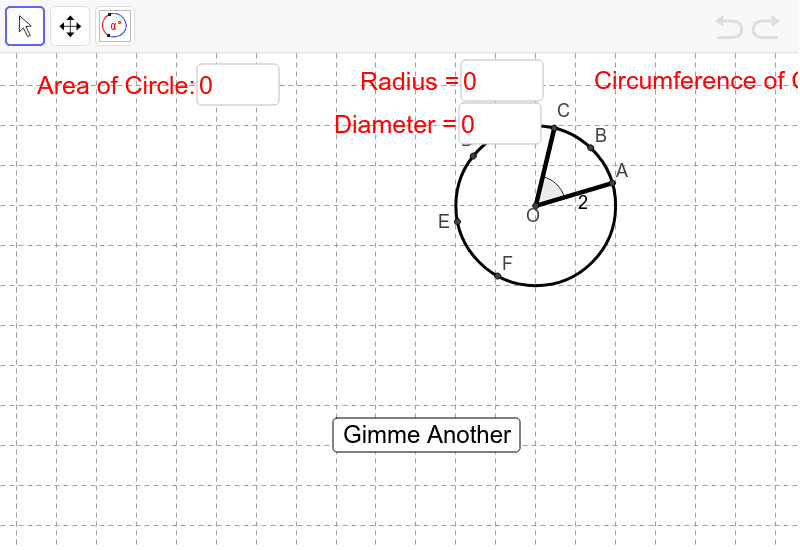
① This interactive GeoGebra example demonstrates how to compute and display the area, circumference, and diameter of a circle when its radius is given, along with visual representation of the circle and related arcs. ② Core mathematical concepts include fundamental circle properties (radius, diameter, circumference, area), the use of π, and angle/arc measure conversions. ③ Construction highlights: using GeoGebra commands such as Circle to create the circle, Radius to extract the radius, Area and Circumference to calculate values, Textfield and InputBox for interactive radius input, Random to generate random radii, Rotate and Angle to construct angles, ArcDeg to draw arcs, Segment to connect points, Point to mark key locations, Mod for modular arithmetic, and Element/Counter to manage random problem generation. ④ Suitable for middle school to high school students learning circle formulas and properties, also useful for math lab activities or self-paced practice to intuitively grasp the relationships between radius, area, circumference, and diameter.
GeoGebra Commands & Parameters
Element(Dimension[Arc1Arc2Radius], 1) → NumberOfEquationsRandom(1, NumberOfEquations) → CircleCounterElement(Arc1Arc2Radius, CircleCounter) → targetCircleCoefRandom(-2, 2) → hTextfield(h) → inputBox1Random(-2, 2) → kTextfield(k) → inputBox2Textfield(r) → inputBox3Random(1, 4) → WhichPointElement(targetCircleCoef, 1) → Arc1Element(targetCircleCoef, 2) → Arc2Element(targetCircleCoef, 3) → radiusCircle(YourCenter, radius) → cMod(CircleCounter + 1, NumberOfEquations + 1) → counterPoint(c) → ARandom(1, (360 - Arc1 - Arc2) / 2) → MissingArcBetween1and2Rotate(A, α°, YourCenter) → CAngle(A, YourCenter, C) → AngleArc1ArcDeg(c, A, C) → d, text1Rotate(C, MissingArcBetween1and2°, YourCenter) → DAngle(C, YourCenter, D) → AngleArcCDRotate(D, Arc2°, YourCenter) → FAngle(D, YourCenter, F) → AngleArc2ArcDeg(c, D, F) → e, text3Segment(YourCenter, A) → aSegment(YourCenter, C) → bRotate(A, (Arc1 / 2)°, YourCenter) → BAngle(A, YourCenter, B) → εRotate(D, (Arc2 / 2)°, YourCenter) → EAngle(D, YourCenter, E) → ζCircumference(c) → CircCircumfArea(c) → CircAreaTextfield(YourArea) → inputBox4Textfield(YourCircumference) → inputBox5Textfield(YourSectorAOC) → inputBox6Textfield(YourArcACLength) → inputBox7Textfield(YourAngleAOC) → inputBox8Textfield(YourAngleFOD) → inputBox9Textfield(YourArcACdegree) → inputBox10Textfield(YourArcFDdegree) → inputBox11Textfield(YourRadius) → inputBox12Textfield(YourDiameter) → inputBox13
AI Drawing Prompt Reference
Draw a circle with a given radius r, and calculate and display the circle's circumference, area, and diameter. Start by creating a center point, then draw the circle with the given radius. Randomly generate the x and y coordinates of the center and the central angle. Based on the central angle and radius, construct arcs and chords, and calculate and display the circle's circumference, area, sector area, arc length, and central angle.
The prompt above was compiled from the original drawing commands and is for reference only.