
Geometry Translation Practice: Defining Translations
Loading the math board and drawing, please wait…
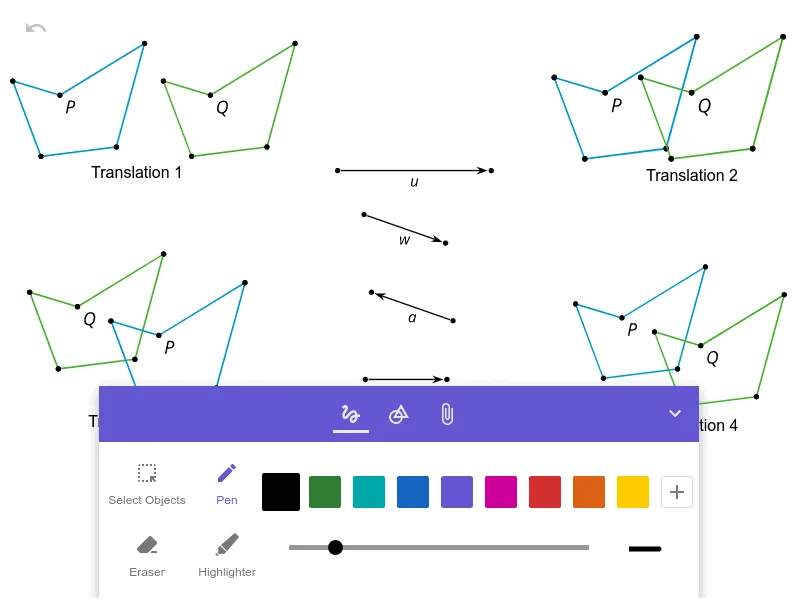
This example demonstrates how to define and manipulate geometric translations using GeoGebra. It involves core math concepts like vectors, geometric transformations, and coordinate geometry. Construction highlights include commands like Segment and objects pic1-pic8, a, b, c, d, f. Suitable for high school geometry students to understand and practice the principles of translation transformations.
GeoGebra Commands & Parameters
Segment((4.737760645968666, 5.311589190146561), (4.737760645968666, -2.982046506076627)) → f
AI Drawing Prompt Reference
Draw a single vertical line segment extending straight downward from an upper point to a lower point, with both endpoints sharing the same x-coordinate. This segment serves as a reference axis for demonstrating geometric translation, showing how a shape moves along a specific direction. The composition should be clean and minimal, emphasizing the vertical orientation and length of the segment, making it easy to visualize the concept of sliding a figure along this line.
The prompt above was compiled from the original drawing commands and is for reference only.