
Geometry Terms: Triangle Centers, Bisectors, and Vectors
Loading the math board and drawing, please wait…
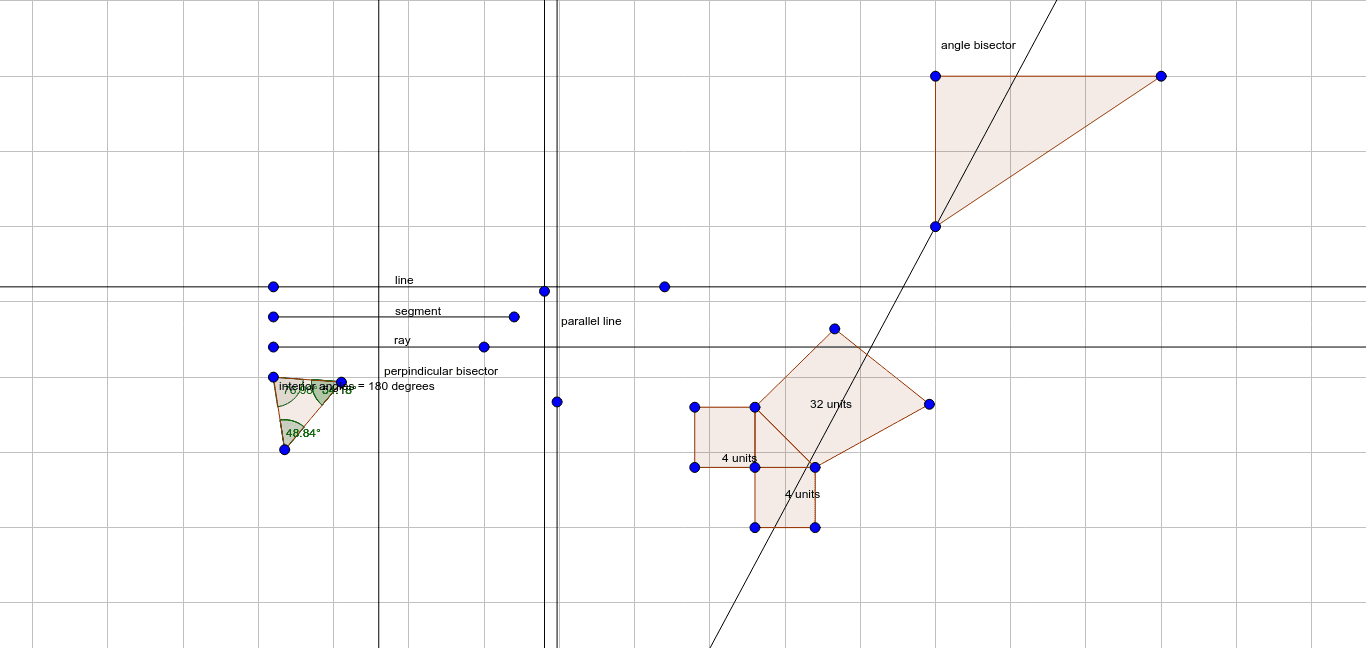
① This interactive GeoGebra example visually demonstrates key geometry terms, focusing on triangle centers such as the orthocenter and centroid, along with lines, segments, rays, and angle bisectors. ② Core math concepts include the orthocenter, centroid (barycenter), medians, angle bisectors, perpendicular bisectors, and vectors; the tag 'Expected Value' appears in the original but likely refers to a mislabeled element. ③ Construction details: using GeoGebra commands like Line, Segment, Ray, Polygon, OrthogonalLine, LineBisector, Angle, and AngularBisector, the construction creates multiple points (A, B, C, D, etc.), segments (a, b, c), polygons (poly1, poly2), and numerous text labels (text1–text7) with angle symbols (α, β, γ, etc.). ④ This is ideal for middle or high school geometry classes, serving as an interactive glossary to help students recognize and differentiate fundamental geometric terms and their relationships within a triangle.
GeoGebra Commands & Parameters
Line(A, B) → aSegment(C, D) → bRay(E, F) → cPolygon(G, H, I) → poly1, i, g, hOrthogonalLine(J, a) → dLine(K, d) → eLineBisector(E, F) → fAngle(G, I, H) → αAngle(G, I, H) → βAngle(G, I, H) → γAngle(I, H, G) → δAngle(I, H, G) → εAngle(H, G, I) → ζPolygon(L, M, N) → poly2, n, l, mPolygon(L, O, P, M) → poly3, l_1, o, p, m_1Polygon(M, Q, R, N) → poly4, m_2, q, r, n_1Polygon(L, S, T, N) → poly5, l_2, s, t, n_2Polygon(U, V, W) → poly6, w, u, vAngularBisector(U, V, W) → j
AI Drawing Prompt Reference
Draw a geometric diagram illustrating key terms: start with a line, a segment, and a ray. Then construct a triangle and draw its three altitudes intersecting at one point (orthocenter), and its three medians meeting at another point (centroid). Mark the three interior angles and add an angle bisector. Outside the triangle, construct several polygons, including quadrilaterals and another triangle, and add an angle bisector to that triangle. Finally, add multiple text labels with angle symbols and names to serve as an interactive glossary of geometry terms.
The prompt above was compiled from the original drawing commands and is for reference only.