
Geometry Meets Calculus: Vector-Guided Parametric Curve Visualization
Loading the math board and drawing, please wait…
In collections
Arc Length & Sector Area EXPLORATION
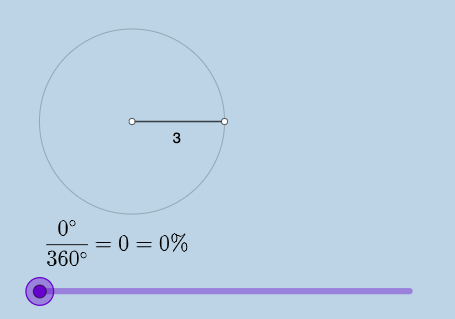
This GeoGebra example demonstrates how to combine geometric constructions with calculus-related components in a single interactive view, helping learners connect shape/angle relationships to derivative and indefinite-integral ideas. The main concepts include real numbers and vector viewpoints (including 3D vector thinking), angle geometry, circular arcs and sectors, and calculus notions such as derivative and indefinite integral. Construction highlights: it uses Point, Ray, Segment, and Circle to build the basic geometric entities; Rotate to generate rotated configurations; Angle to measure/define angular relationships; and CircleArc and CircleSector to form curved arc and sector regions. Measurements like Area and Circumference are included to quantify geometric quantities. Textual/interactive elements are handled with Textfield, Text, InputBox-type inputs, and FractionText to present parameter values or calculus-related expressions. Suitable for late high school to early undergraduate use, especially for geometry construction practice and calculus onboarding (derivative/integration) via visualization.
GeoGebra Commands & Parameters
Point(yAxis) → ARay(A, (1, 0)) → hPoint(h) → BCircle(A, B) → cSegment(A, B) → fRotate(B, (a * pi / 180), A) → B'Angle(B, A, B') → αCircleArc(A, B, B') → dSegment(A, B') → gCircleSector(A, B, B') → eTextfield(a) → InputBox1Area(c) → lCircumference(c) → mTextfield(n) → InputBox2FractionText(a / 360) → text8
AI Drawing Prompt Reference
Draw a graphic consisting of a circular arc and a sector, including a center point A, a ray h, point B, circle c, segment f, rotated point B', angle α, arc d, segment g, and sector e. The construction order is: first draw the circle and segment, then rotate point B to get B', measure angle α, draw arc d and sector e, and finally add text boxes for parameters.
The prompt above was compiled from the original drawing commands and is for reference only.