
Geometry Construction Steps: Lines, Perpendiculars, and Angle Marking
Loading the math board and drawing, please wait…
In collections
Phebe Tanner Translation Tessallation
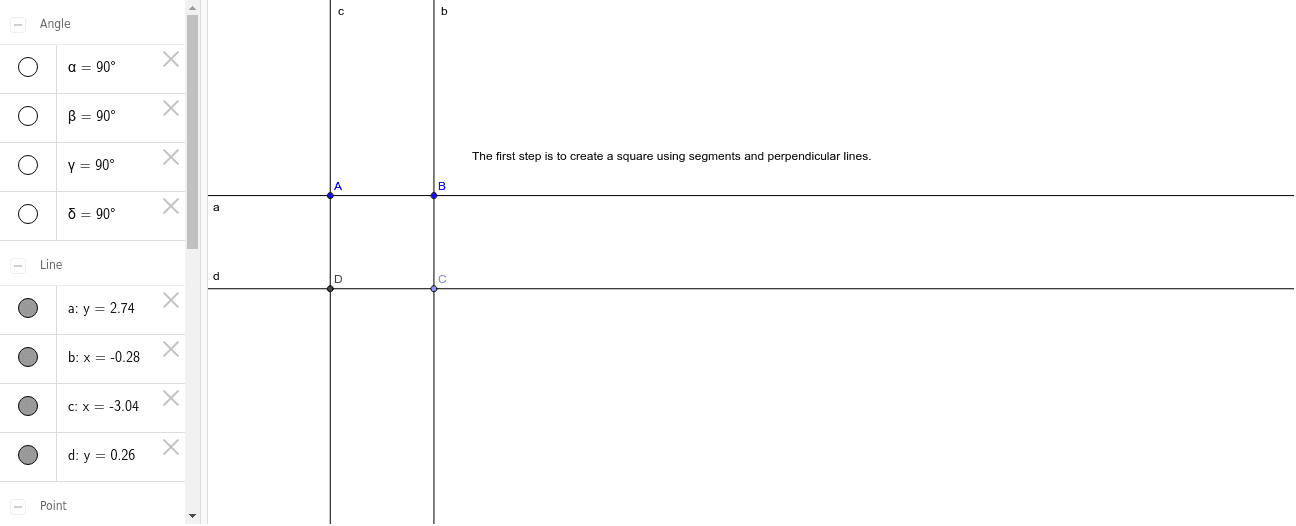
This example demonstrates a geometric construction involving lines, perpendiculars, and intersections, with angle markings to show angular relationships. The core mathematical concepts include lines, perpendicular lines, intersection points, segments, and angle measurement. The construction uses GeoGebra commands such as Line, OrthogonalLine, Point, Intersect, Segment, and Angle, involving objects like points A, B, C, D, lines a, b, c, segments d, e, f, g, h, and angles α, β, γ, δ, along with text1. It is suitable for middle or high school geometry teaching, helping students understand the steps of constructing perpendiculars and marking angles, and can serve as an introductory exercise in geometric construction.
GeoGebra Commands & Parameters
Line(A, B) → aOrthogonalLine(B, a) → bOrthogonalLine(A, a) → cPoint(b) → COrthogonalLine(C, c) → dIntersect(c, d) → DSegment(D, C) → eSegment(C, B) → fSegment(B, A) → gSegment(A, D) → hAngle(A, B, C) → αAngle(C, D, A) → βAngle(D, A, B) → γAngle(B, C, D) → δ
AI Drawing Prompt Reference
Draw a line segment, then a perpendicular line to it. Take a point on the perpendicular line and draw two more perpendicular lines from this point. Find their intersection point and connect it to the point on the perpendicular line. Mark the sizes of the three angles to show the geometric construction steps.
The prompt above was compiled from the original drawing commands and is for reference only.