
Geometry Basic Terms 3: Midpoint, Perpendicular, and Segment Verification
Loading the math board and drawing, please wait…
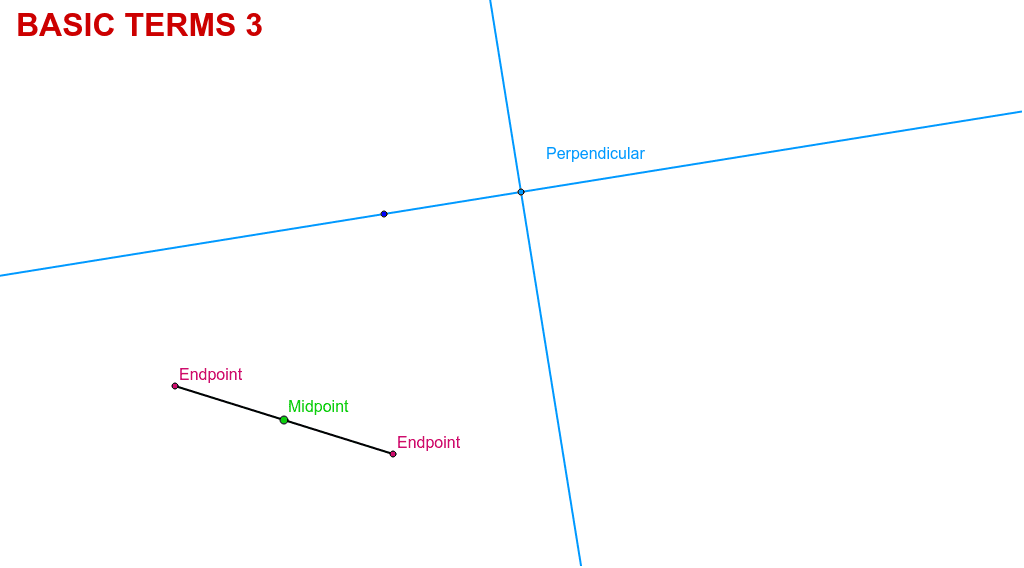
①This example demonstrates how to understand basic geometric terms such as midpoint, perpendicular line, and segment by moving points and verifying their characteristics in GeoGebra. ②Core math concepts include the midpoint of a segment, perpendicularity, and dynamic verification of geometric properties (e.g., midpoint bisects the segment, perpendicular line forms a right angle). ③Construction highlights: from the summary, it uses commands Line, OrthogonalLine, Segment, and Midpoint, creating objects A, B, C, D, E, lines a, b, c, and text texto2; users can drag points to observe changes and verify properties. ④Suitable for middle school geometry introduction or self-study, reinforcing basic terminology and dynamic geometry thinking, also useful as an interactive classroom demonstration.
GeoGebra Commands & Parameters
Line(B, C) → aOrthogonalLine(C, a) → bSegment(A, D) → cMidpoint(A, D) → E
AI Drawing Prompt Reference
Draw a line segment and construct a perpendicular line to it. Then draw two segments from the endpoints of the original line segment. Finally, find the midpoint of one of the segments and display the foot of the perpendicular and the midpoint to illustrate the properties of the perpendicular line and the midpoint.
The prompt above was compiled from the original drawing commands and is for reference only.