
Geometric Transformations: Translation, Reflection & Rotation
Loading the math board and drawing, please wait…
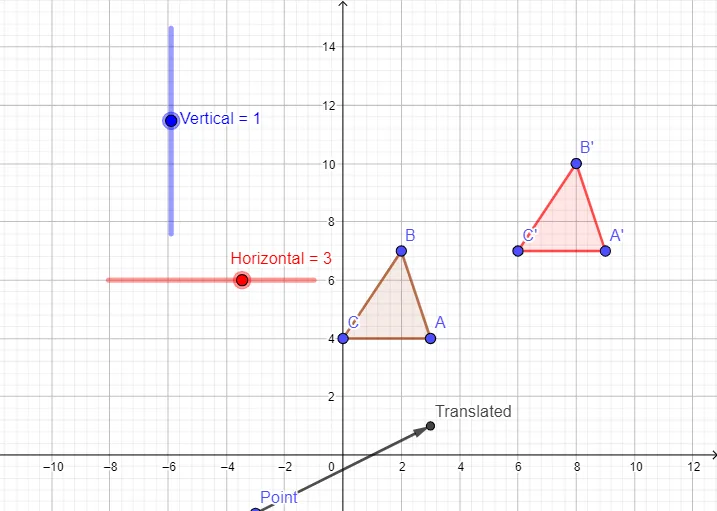
① This example visually demonstrates three fundamental geometric transformations—translation, reflection, and rotation—by applying them to a triangle in a dynamic GeoGebra worksheet. ② Core mathematical concepts include geometric transformations, vectors, axes of symmetry, rotation centers, and congruence of transformed figures, with additional references to sine functions, frequency distribution, and centroid. ③ Construction details: The original triangle (triangle1) is created using the Polygon command, a translation vector is defined with the Vector command, and the translated triangle (triangle2) is generated via the Translated object. Auxiliary points and lines (Point, Horizontal, Vertical) help set up reflection and rotation axes, while transformed edges (c', a', b') are displayed. ④ This resource is ideal for middle and high school geometry classes, math labs, or self-study, helping students visualize transformation properties and explore combined transformations.
GeoGebra Commands & Parameters
Polygon(A, B, C) → triangle1, c, a, bVector(Point, Translated) → VectorPolygon(A', B', C') → triangle2, c', a', b'
AI Drawing Prompt Reference
Draw a triangle and then apply translation, reflection, and rotation to it. First, create a triangle using points A, B, and C. Then, define a vector and use it to translate the triangle, generating a new triangle. Next, set up reflection and rotation axes using points and lines, and finally rotate the triangle's sides to create new sides c', a', and b'.
The prompt above was compiled from the original drawing commands and is for reference only.