
Geometric Transformations in Coordinate Geometry: Translation and Reflection
Loading the math board and drawing, please wait…
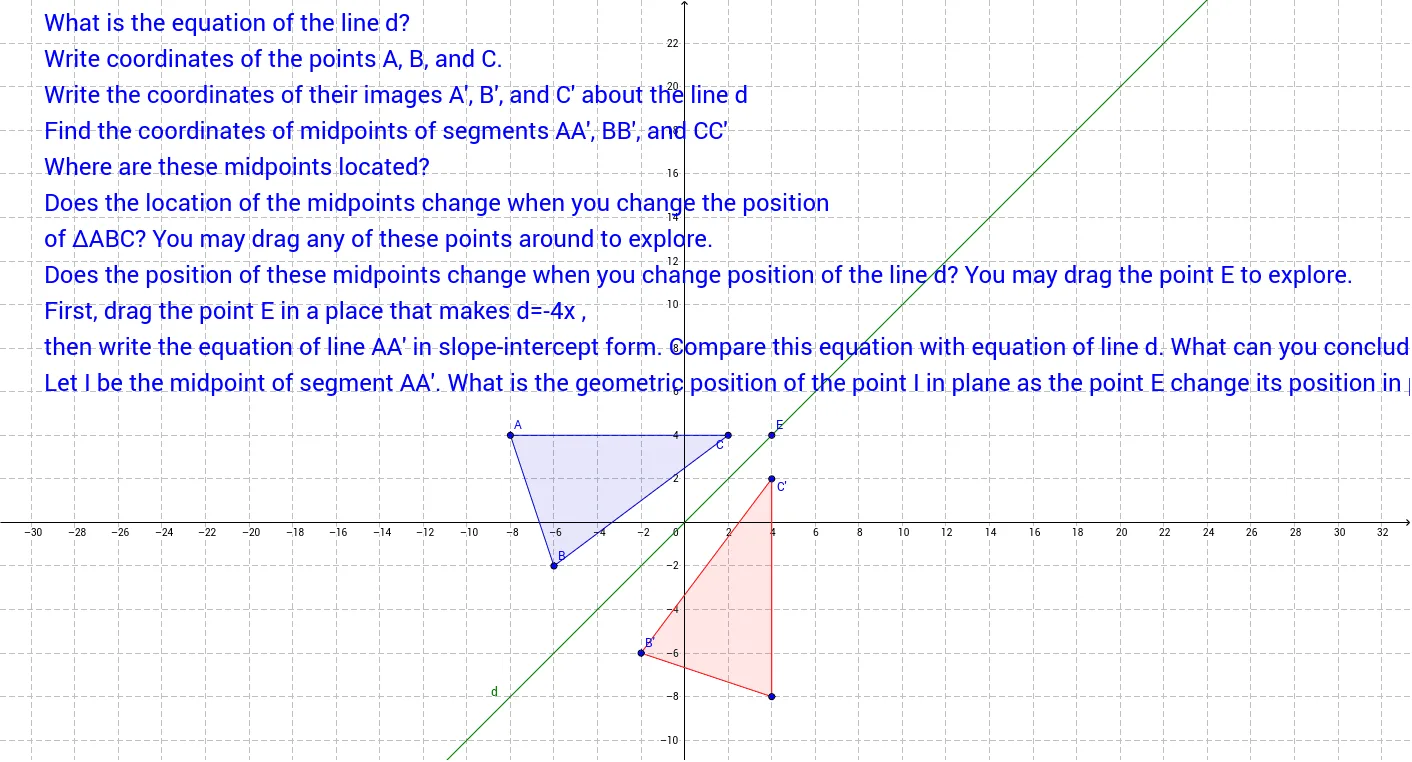
This GeoGebra example demonstrates geometric transformations of a polygon (rhombus) in the coordinate plane, focusing on translation and reflection (mirroring) and their effects on position and shape. Core mathematical concepts include coordinate geometry, geometric transformations (translation, reflection), symmetry, and properties of polygons such as rhombus. Construction highlights: using GeoGebra commands Polygon to create poly1, Line, Mirror, and Midpoint to define axes and reflected images, Intersect to find intersection points, resulting in transformed polygon poly1' with vertices A', B', C', along with text labels. Suitable for middle or high school geometry and analytic geometry classes, helping students connect algebraic coordinates with visual transformations, and useful for dynamic teacher demonstrations.
GeoGebra Commands & Parameters
Polygon(A, B, C) → poly1, c, a_2, bIntersect(xAxis, yAxis) → DLine(D, E) → dMirror(A, d) → A'Mirror(B, d) → B'Mirror(C, d) → C'Polygon(A', B', C') → poly1', c', a', b'Midpoint(A, A') → IMidpoint(B, B') → JMidpoint(C, C') → KLine(A, A') → a
AI Drawing Prompt Reference
Draw a rhombus, then reflect it across the intersection point D of the coordinate axes to create a new rhombus. First, create the rhombus, find the intersection point D of the coordinate axes, draw a line d through D, then reflect each vertex of the rhombus across line d to get new vertices A', B', and C', and finally draw the new rhombus using these vertices.
The prompt above was compiled from the original drawing commands and is for reference only.