
Geometric Representation of Linear Equations in Two Variables
Loading the math board and drawing, please wait…
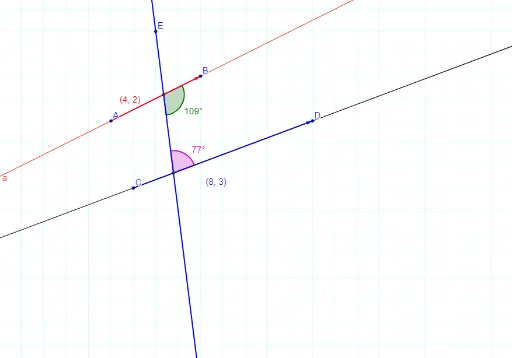
This example demonstrates the geometric representation of linear equations in two variables. Key mathematical concepts include linear equations and vectors. Using GeoGebra commands such as Line, Intersect, Angle, Segment, and Vector, two lines are constructed and their intersection point is found. Suitable for students at the middle school level and above to learn coordinate geometry and linear equations.
GeoGebra Commands & Parameters
Line(A, B) → aLine(C, D) → bLine(E, F) → cIntersect(a, c) → GIntersect(b, c) → HAngle(B, G, H) → αAngle(D, H, G) → βSegment(A, B) → dSegment(C, D) → eVector(A, B) → uVector(C, D) → w
AI Drawing Prompt Reference
Draw two intersecting lines, find their intersection point, and draw vectors from the intersection to the endpoints of each line. Also, connect the endpoints of the lines to form segments. Finally, measure the angles between the segments and the intersection point to demonstrate the geometric representation of linear equations and the relationship between vectors and angles.
The prompt above was compiled from the original drawing commands and is for reference only.