
Geometric Probability Demo
Loading the math board and drawing, please wait…
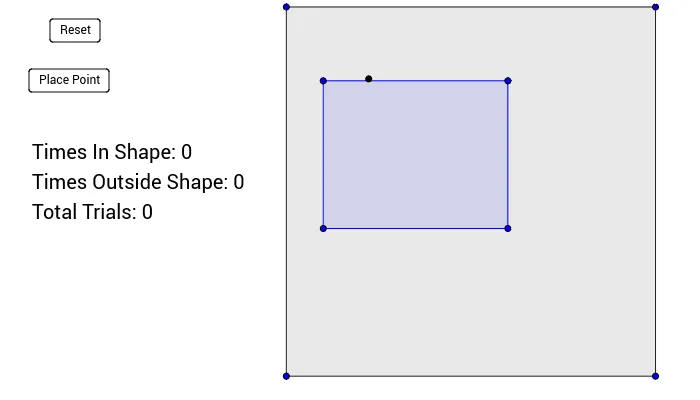
This example demonstrates geometric probability through dynamic visualization of area relationships, intuitively showing how to calculate geometric probabilities. It involves core concepts like probability, continuity, numerical calculations, addition, step functions, and square roots. The construction uses the Polygon command and objects such as A, B, C, D, poly1, a, b, c, d, E, F, G, H, poly2, e, f, g, h, buttons, and text. Suitable for high school mathematics teaching to introduce geometric and basic probability concepts.
GeoGebra Commands & Parameters
Polygon(A, B, C, D) → poly1, a, b, c, dPolygon(E, F, G, H) → poly2, e, f, g, h
AI Drawing Prompt Reference
Draw a geometric probability demonstration diagram, including two quadrilaterals poly1 and poly2. First, draw quadrilateral poly1 with points A, B, C, and D; then draw quadrilateral poly2 with points E, F, G, and H.
The prompt above was compiled from the original drawing commands and is for reference only.