
Geometric Introduction to Trigonometric Functions: Angles, Circles, and Rotation
Loading the math board and drawing, please wait…
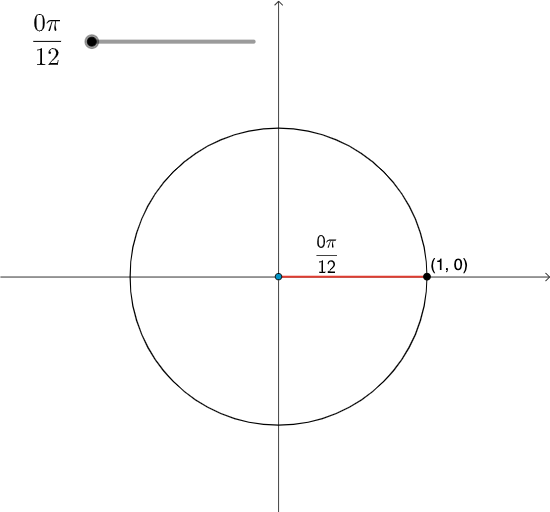
This GeoGebra example demonstrates trigonometric functions through a geometry-based visualization: a circle as a reference, angles constructed and labeled, and intersections that generate the corresponding geometric quantities. It centers on key ideas such as using an (often unit) circle to interpret angles, the geometric meaning behind sine/cosine via lengths or coordinates, and how changing an angle affects related segments/points. Construction highlights: Intersect is used to determine critical intersection points; Circle creates the reference circle; Rotate changes the position of rays by rotating around a center to model angle variation; Segment builds the line elements that represent measurable quantities; and Angle is used to display/measure the key angles (e.g., α, β). The diagram is organized with multiple named objects and annotations (d, γ, B, α, A, c, P, f, β, g, a, b, text1, text5) to make the relationships explicit. Suitable for middle to high school instruction, introductory trigonometry lessons, and interactive demonstrations that connect angle movement to functional quantities.
GeoGebra Commands & Parameters
Intersect(xAxis, yAxis) → ACircle(A, 1) → cRotate(B, γ, A) → PSegment(A, P) → fAngle(B, A, P) → βSegment(A, B) → g
AI Drawing Prompt Reference
Draw a unit circle centered at the origin. Draw a ray from the origin to point P on the circle, then rotate angle γ to get point P. Draw a line segment from the origin to point P, named f. Draw an angle between the origin, point A, and point P, labeled β. Draw a line segment from the origin to point B, named g.
The prompt above was compiled from the original drawing commands and is for reference only.