
Geometric Distance Representation of Absolute Value
Loading the math board and drawing, please wait…
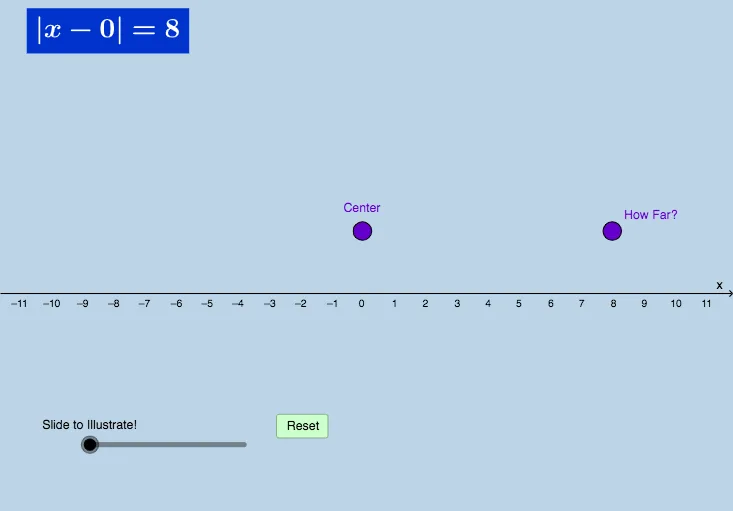
This example demonstrates how absolute value can be visualized geometrically by tracking how distances from a point to reference objects (and their mirrored counterparts) change, emphasizing that absolute value measures magnitude without direction. It centers on the definition and geometric meaning of absolute value, the use of distance in the plane, and symmetry via mirror constructions. The construction uses GeoGebra commands and objects such as Ray and Point to set up the geometric framework, Mirror to create corresponding mirrored points, Vector and Segment to model directions and segments, Distance to compute the relevant magnitudes, Circle plus Intersect to locate key intersection points, and TextAE/TextAE' to display the distance-to-value relationships. It further employs Polygon and Dilate for structured visualization and interpretation. Suitable for middle to high school math lessons on algebra and coordinate/geometry connections, especially for introducing absolute value through dynamic geometry.
GeoGebra Commands & Parameters
Ray(A, B) → fRay(A, C) → gPoint(f) → EMirror(E, A) → E'Vector(A, E) → uVector(A, E') → vDistance(A, E) → distanceAEDistance(A, E') → distanceAE'Ray(F, H) → hRay(D, G) → lSegment(D, F) → mCircle(A, 1) → cCircle(E', 1) → dCircle(E, 1) → eCircle(D, 4) → c_1Circle(F, 4) → d_1Intersect(c_1, t, 1) → LIntersect(d_1, t, 1) → MSegment(D, L) → f_1Segment(F, M) → g_1Polygon(O, N, 4) → poly1, h_1, i_1, j_1, k_1, R, SPolygon(Q, P, 4) → poly2, l_1, m_1, n_1, p_1, T, UDistance(S, R) → distanceSRDistance(U, T) → distanceUTDilate(A, If[0 < b ≤ 1, 1 - b, 0], E) → A'Segment(A, A') → q_1Dilate(A, If[0 < b ≤ 1, 1 - b, 0], E') → A'_1Segment(A, A'_1) → r_1Dilate(F, If[1 < b ≤ 2, 2 - b, 0], M) → F'Dilate(D, If[1 < b ≤ 2, 2 - b, 0], L) → D'Segment(F, F') → pSegment(D, D') → q
AI Drawing Prompt Reference
Draw a geometric figure to illustrate the concept of absolute value. Start by drawing two rays f and g from point A. Then, take points E and E' on these rays and create their reflections about point A. Draw vectors u and v, and their corresponding distances distanceAE and distanceAE'. Next, draw points F and H, and rays h and l, then draw line segment m. Use circles and intersections to construct circles c, d, e, c_1, and d_1, and find their intersection points L and M. Draw line segments f_1 and g_1, and polygons poly1 and poly2, and calculate their side lengths distanceSR and distanceUT. Finally, use dilation transformations to draw line segments q_1, r_1, p, and q.
The prompt above was compiled from the original drawing commands and is for reference only.