
Geometric Construction of Points, Lines, and Planes
Loading the math board and drawing, please wait…
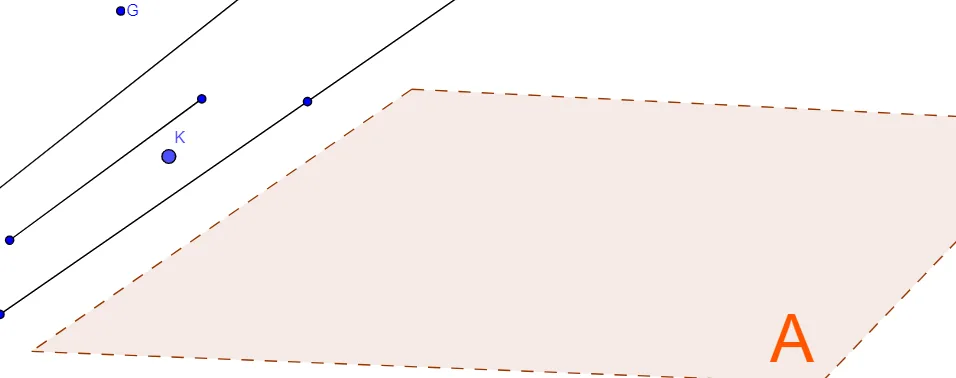
This example demonstrates how to build and visualize relationships among geometric objects by constructing a polygon and multiple lines, including segments and rays, in a plane-like setting. It highlights how connected points generate a structured figure and how intersections and alignments emerge from the chosen lines. Key concepts include points and lines in planar geometry, polygon construction from vertices, and the distinctions between Line, Segment, and Ray. Construction approach: use Polygon to create the main polygon (e.g., poly1), and employ Line, Segment, and Ray to define the supporting geometric lines and their extents. The diagram relies on many point objects (such as A, B, C, D and additional labeled points) and text annotations for labeling. Suitable for middle-school through early high-school geometry lessons and for learning geometric construction workflows in GeoGebra.
GeoGebra Commands & Parameters
Polygon(A, B, C, D) → poly1, a, b, c, dLine(I, J) → eSegment(L, M) → fRay(N, O) → g
AI Drawing Prompt Reference
Draw a quadrilateral defined by four labeled vertices as the main shape. Then add three supporting lines: a straight line passing through two points outside the quadrilateral, a segment connecting two other points, and a ray starting from one point and extending toward another. Label all points clearly. The figure should illustrate planar geometry relationships, emphasizing the differences among a polygon, a line, a segment, and a ray. Construct the quadrilateral first, then add the line, segment, and ray in that order.
The prompt above was compiled from the original drawing commands and is for reference only.