
Geometric construction of a recessed arc (Arco Rebajado) using circle-arc compos
Loading the math board and drawing, please wait…
In collections
geometriadinamica.es
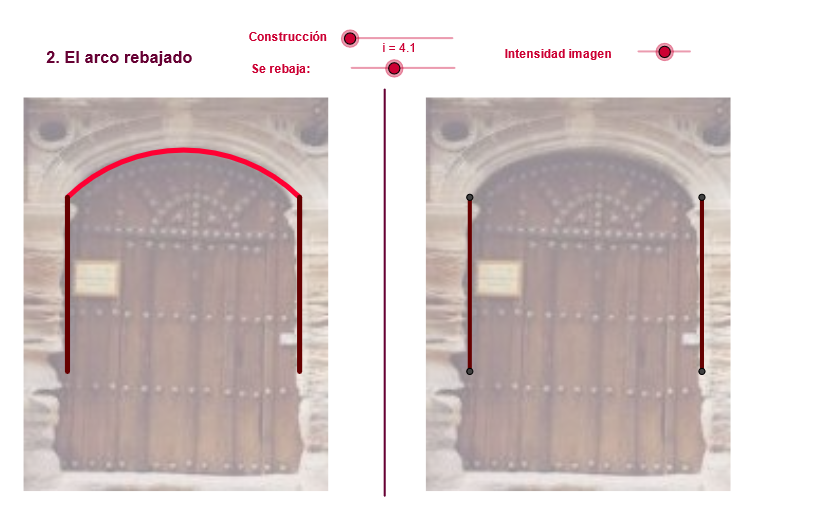
This example demonstrates how to construct a “recessed” (rebajado) arc shape in the plane by combining midpoints, circle intersections, and carefully chosen arc segments. The construction highlights core ideas of circle geometry—lines and intersections, circle and arc generation, and geometric transformations. Key concepts include Circle and CircleArc (plus CircumcircleArc for arc segments), Midpoint for defining key geometric constraints, Angle to control the turning/placement of arcs, and Rotate to reposition arcs by a prescribed angle. Intersections from Line and Intersect are used to determine where arcs meet. Finally, Mirror and Translate are applied to obtain symmetric or shifted arc counterparts, producing the final recessed profile. It is well suited for high school geometry instruction, geometry construction practice, and enrichment for students interested in transformations and circle-arc design.
GeoGebra Commands & Parameters
Segment(D, B) → eMidpoint(C, D) → KCircle(K, C) → f_1Midpoint(C, D) → FLine(F, e) → kIntersect(f_1, k, 1) → LIf(zz < 0, 10, zz) → jCircle(F, i) → pIntersect(p, k, 2) → GAngle(D, G, C) → αMidpoint(C, D) → ESegment(A, C) → dSegment(E, C) → fRotate(C, Max[((-(c - 3)) * 180 / (5°)), 180°], E) → C'Rotate(C, 359.91000000000014°, E) → C''CircumcircleArc(C, C'', C') → gSegment(C', E) → hSegment(G, C) → lRotate(C, Max[(-α), (((-(j - 3)) * α) * 180 / 3.14 / (5°))], G) → C'_1Segment(C'_1, G) → m5CircleArc(G, C'_1, C) → qSegment(C, F) → rMirror(D, k) → D'_1Segment(K, C) → h_1Mirror(L, k) → L'Mirror(L, k) → L'_1Circle(K, C) → c_2Segment(F, G) → n_1Segment(T1, T) → a_2Mirror(D, a_2) → D'_2Mirror(B, a_2) → B'Segment(D'_2, B') → e'Mirror(A, a_2) → A'Mirror(C, a_2) → C'_4Segment(A', C'_4) → d'Vector(A, B') → vTranslate(pic1, v) → pic1'Translate(pic2, v) → pic2'
AI Drawing Prompt Reference
Draw a recessed arc pattern composed of multiple arcs. Start by connecting two points to form a line segment, then find the midpoint of the segment and draw a circle centered at it. Locate the intersection points of the circle with the line segment. Use angles and rotations to construct several arcs, and apply mirror and translation operations to obtain symmetric or shifted arcs, finally combining them into the recessed shape.
The prompt above was compiled from the original drawing commands and is for reference only.