
Geometric Construction of a Deltoid (Kite)
Loading the math board and drawing, please wait…
In collections
Deltoid - Eigenschaften und Konstruktionen
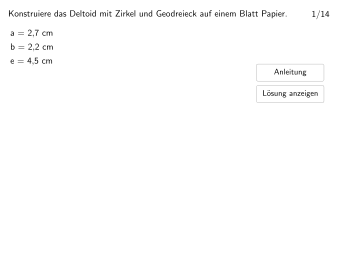
This example demonstrates how to construct a deltoid (kite) using GeoGebra. The core mathematical concepts include the definition and properties of a deltoid (four equal sides, diagonals perpendicular and bisect each other). Construction uses Polygon command for drawing, Angle for measuring angles to verify properties, Segment for edges, Stretch for transformations, combined with If conditions and Textfield for interactive exercises. Suitable for Grade 5-6 students to master geometric construction tools (compass, ruler, protractor or DGS) and develop skills in constructing special quadrilaterals.
GeoGebra Commands & Parameters
Join(Sequence[Join[{Shuffle[Sequence[1, 7]], Shuffle[Sequence[8, 14]]}], m, 1, 9]) → listExNumsIf(Mod[exnum, 7] ≟ 0, 7, Mod[exnum, 7]) → typElement({10, 10, 9, 9, 8, 8, 12}, typ) → maxstepElement({M1, M2, M3, M4, M5, M6, M7, M8, M9, M10, M11, M12, M13, M14}, exnum) → MTextfield(input1) → InputBox1Textfield(input2) → InputBox2Polygon(PtopLeftCornerFeedback, PtopRightCornerFeedback, PbottomRightCornerFeedback, PbottomLeftCornerFeedback) → rectangleCorrect, rectangleCorrectS3, rectangleCorrectS4, rectangleCorrectS2, rectangleCorrectS1Shuffle(Sequence[Random[0, 10], i, 1, 100]) → randomNosForX, {7, 5, 7, 7, 4, 0, 2, 5, 9, 8, 0, 9, 4, 7, 5, 2, 7, 10, 5, 0, 2, 10, 1, 3, 2, 8, 10, 4, 1, 7, 6, 6, 3, 5, 1, 6, 10, 9, 3, 5, 2, 1, 5, 1, 7, 8, 7, 2, 2, 10, 5, 9, 7, 5, 5, 6, 10, 8, 0, 3, 2, 9, 5, 0, 2, 7, 2, 0, 1, 8, 5, 3, 6, 0, 5, 4, 4, 9, 6, 1, 10, 4, 5, 8, 5, 1, 5, 0, 8, 0, 1, 3, 2, 2, 7, 4, 6, 0, 1, 1}Element(randomNosForX, Mod[questionCount, 100] + 1) → numXShuffle(Sequence[Random[0, 10], i, 1, 100]) → randomNosForY, {4, 9, 6, 6, 2, 3, 4, 1, 7, 5, 7, 10, 2, 7, 4, 1, 4, 2, 9, 8, 5, 9, 5, 6, 0, 10, 3, 6, 2, 5, 5, 8, 2, 5, 8, 1, 1, 2, 7, 6, 6, 10, 10, 9, 4, 5, 2, 2, 3, 6, 4, 7, 5, 7, 5, 6, 2, 6, 10, 6, 5, 5, 7, 4, 9, 8, 4, 7, 1, 2, 7, 0, 10, 1, 0, 4, 10, 5, 5, 10, 6, 10, 5, 8, 6, 5, 8, 5, 2, 1, 8, 3, 1, 1, 2, 3, 6, 9, 0, 9}Element(randomNosForY, Mod[questionCount, 100] + 1) → numYAppend(true, Sequence[If[randomNosForX(i) ≟ randomNosForX(i - 1), false, true], i, 2, 100]) → stayXAppend(true, Sequence[If[randomNosForY(i) ≟ randomNosForY(i - 1), false, true], i, 2, 100]) → stayYRemove(Sequence[If[stayX(i), randomNosForX(i), 0], i, 1, 100], Sequence[0, i, 1, 100]) → randomNosForXwithoutRepeatRemove(Sequence[If[stayY(i), randomNosForY(i), 0], i, 1, 100], Sequence[0, i, 1, 100]) → randomNosForYwithoutRepeatElement(randomNosForXwithoutRepeat, Mod[questionCount, Length[randomNosForXwithoutRepeat]] + 1) → numXwithoutRepeatElement(randomNosForYwithoutRepeat, Mod[questionCount, Length[randomNosForYwithoutRepeat]] + 1) → numYwithoutRepeatDefined((input1 * input2)) → fixedAngle(B, A, D) → walphaAngle(C, B, A) → wbetaLaTeX(typ, true, true) → Text3Segment(A, B) → a1Segment(A, D) → a2Segment(B, C) → b1Segment(C, D) → b2Segment(A, M) → eoSegment(M, C) → euSegment(B, D) → fZip(If[m < 5, " cm", "°"], m, numValues) → listEHAngle(A, D, C) → wdeltaAngle(D, C, B) → wgammaStretch(A, Line[B, D], 1.2) → A'Stretch(C, Line[B, D], 1.2) → C'Segment(A', C') → elangStretch(B, Line[A, C], 1.3) → B'Stretch(D, Line[A, C], 1.3) → D'Segment(B', D') → flangAngle(A, M, B) → rechterwinkelStretch(B, OrthogonalLine[Midpoint[B, C], Line[B, C]], 1.2) → B'_{1}Stretch(C, OrthogonalLine[Midpoint[B, C], Line[B, C]], 1.2) → C'_{1}Segment(B'_{1}, C'_{1}) → b1langStretch(C, OrthogonalLine[Midpoint[C, D], Line[C, D]], 1.2) → C'_{2}Stretch(D, OrthogonalLine[Midpoint[C, D], Line[C, D]], 1.2) → D'_{1}Segment(C'_{2}, D'_{1}) → b2langStretch(A, OrthogonalLine[Midpoint[A, D], Line[A, D]], 1.2) → A'_{1}Stretch(D, OrthogonalLine[Midpoint[A, D], Line[A, D]], 1.2) → D'_{2}Segment(A'_{1}, D'_{2}) → a2langStretch(A, OrthogonalLine[Midpoint[A, B], Line[A, B]], 1.2) → A'_{2}Stretch(B, OrthogonalLine[Midpoint[A, B], Line[A, B]], 1.2) → B'_{2}Segment(A'_{2}, B'_{2}) → a1langElement({2, 1, 3, 3, 4, 3, 4}, typ) → numCheckValueIf((checkValue * 10) - floor((checkValue * 10)) ≥ 0.5, (floor((checkValue * 10)) * 0.1) + 0.1, (floor((checkValue * 10)) * 0.1)) → checkValueGerundetIf(step ≟ 1, G_1, G_2) → GIf(step ≟ 1, H_1, H_2) → HAngle(B, M, C) → rechterwinkel2
AI Drawing Prompt Reference
Draw a kite shape with four equal sides and diagonals that are perpendicular and bisect each other. Start by creating a quadrilateral with equal side lengths, then measure the angles at the intersection of the diagonals to confirm they are right angles. Next, stretch one pair of diagonals outward while maintaining the equal side lengths, observing how the shape changes. Finally, draw the diagonals inside the quadrilateral, label their intersection point and key angles, to highlight the kite's geometric properties.
The prompt above was compiled from the original drawing commands and is for reference only.